


Overview
Modern backend engineering and system administration frequently require versatile command-line data transfer. In this hands-on tutorial, we explore practical applications of curl—the ubiquitous Swiss Army knife of networking. You will discover how to dispatch baseline web queries, interact with REST APIs, inspect HTTP transaction headers, and reliably fetch multi-megabyte payloads in headless Linux server environments.
1. Setting Up the Tooling and Inspecting Remote Responses (GET Requests)
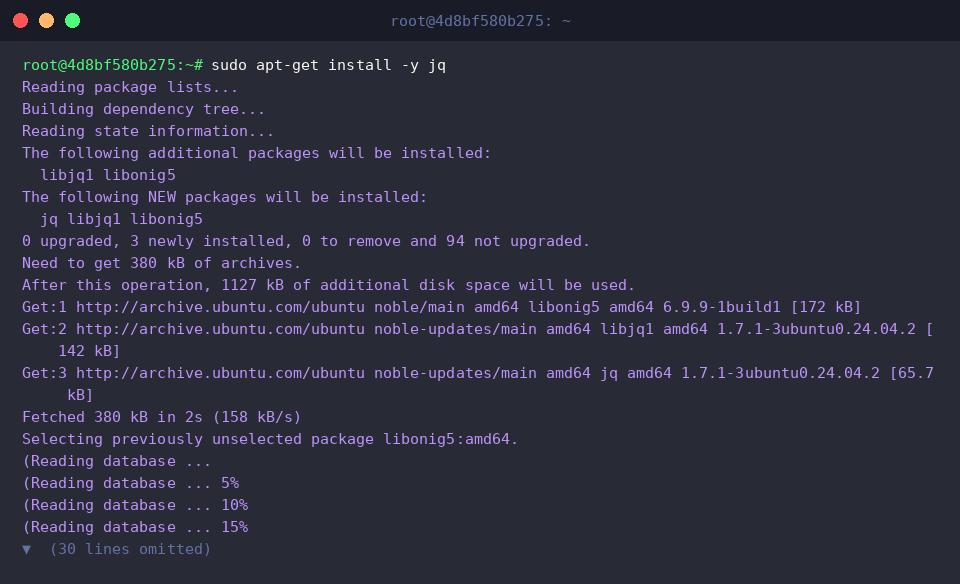
Before issuing network requests, synchronize your local APT repositories and ensure the utility is available on your Ubuntu workstation.
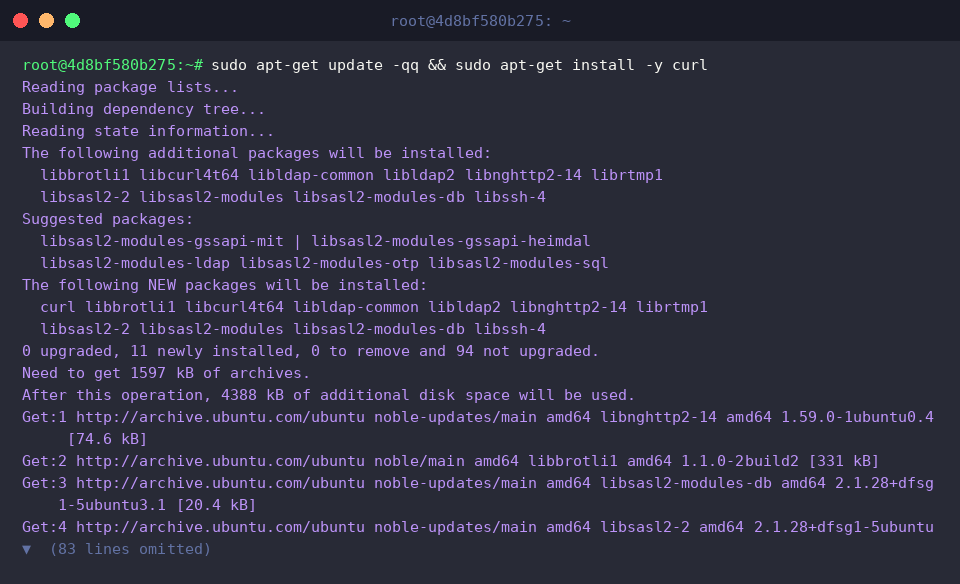
At its core, curl speaks numerous network protocols to transfer structured data across endpoints using standard URL notation.
Invoking the command with solely an endpoint target initiates an HTTP GET handshake by default, streaming the payload body straight into your standard output.
⚙️ [Essential Command Switches]
-s : Operates quietly without rendering the real-time progress meter or runtime errors.-i : Embeds server-side HTTP response metadata directly above the response body.-I : Fetches metadata headers exclusively while suppressing the actual payload body.-X : Overrides the default request verb with custom HTTP methods like GET, POST, PUT, or DELETE.-d : Transmits application payload data inside the HTTP body, commonly used for POST transactions.-H : Injects custom HTTP headers into outgoing network packets.-o : Writes incoming response streams to an explicitly named local destination file.-O : Extracts the filename component from the remote resource URL and stores the file locally under that name.-C - : Automatically detects the local file boundary to resume an interrupted transfer from where it stalled.-L : Instructs the client to traverse HTTP 3xx redirection chains until reaching the final destination.
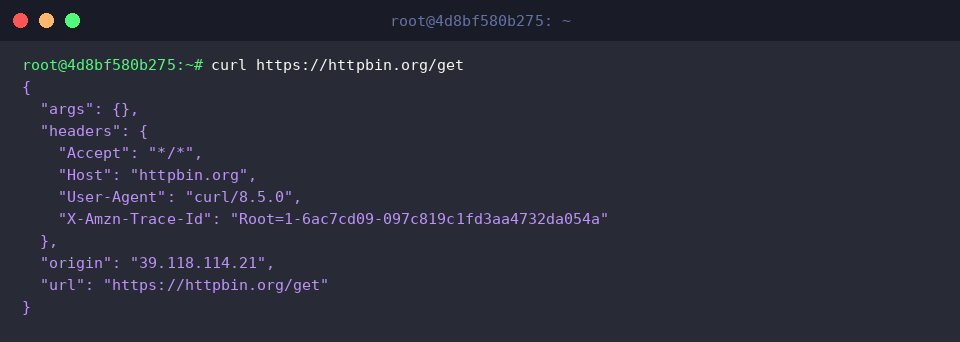
Activating quiet mode with -s eliminates diagnostic meters and connection chatter, leaving only raw payload data in standard output.
This pristine output format proves indispensable when feeding responses into downstream pipeline consumers (|) or writing robust unattended cron scripts.

2. Inspecting Protocol Headers and Capturing Status Codes
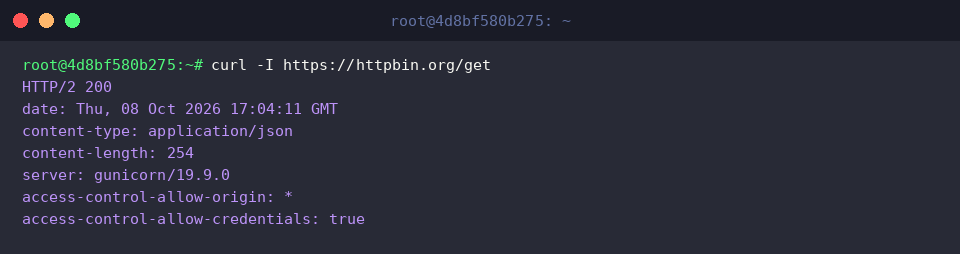
Querying remote endpoints with -I sends a lightweight HEAD request, retrieving server headers without incurring the bandwidth overhead of downloading entire payload bodies.
Systems administrators rely on this approach to instantly verify web server models, validate MIME types, and confirm protocol negotiation (such as HTTP/2 200) without network waste.
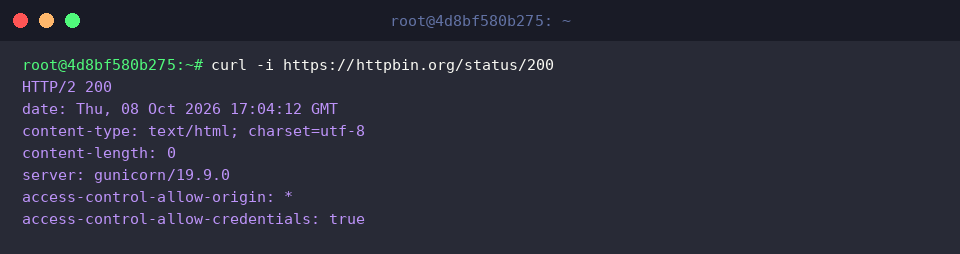
Supplying -i instructs the client to print the incoming HTTP response headers right above the payload content in your terminal session.
Reviewing both the returned metadata and the raw response simultaneously simplifies troubleshooting edge-case API behaviors and payload discrepancies.
By combining silent mode (-s), nullifying payload redirection (-o /dev/null), and applying formatted output templates (-w), you can isolate clean HTTP status codes directly.
This technique acts as the foundational building block for automated endpoint health probes and conditional branching logic in shell scripts.

3. Interacting with RESTful Endpoints and Managing Token Authentication (POST & JSON)
To parse, query, and format complex JSON blobs returned by modern REST interfaces directly inside your shell, install the lightweight jq processor.
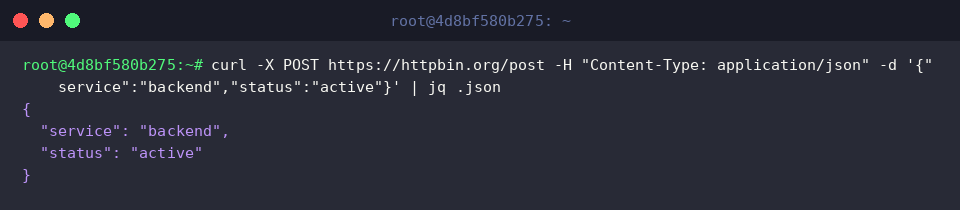
You can dispatch structured data by defining -X POST, declaring the appropriate MIME standard via -H "Content-Type: application/json", and attaching the JSON payload with -d.
Piping (|) the resulting server output directly into jq allows you to immediately confirm that your submitted properties were properly accepted and processed upstream.
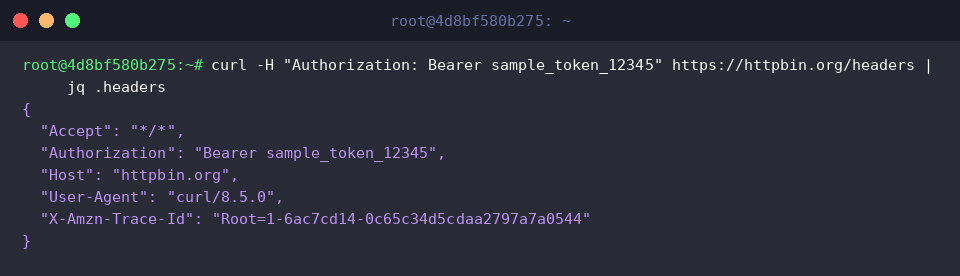
Secure APIs typically demand authorization credentials supplied via an HTTP Authorization: Bearer <token> header, configurable via the -H parameter.
Inspecting the echoed request headers validates whether authentication tokens (such as JSON Web Tokens or machine-to-machine API keys) were received cleanly by the target gatekeeper.
4. Handling File Transfers and Resuming Stalled Downloads
Begin by setting up an isolated staging folder to keep your downloaded demonstration assets organized.

Using the -o parameter, capture inbound binary data and persist it straight onto your disk as sample-100k.bin.
Directing the stream into an explicit filename shields your terminal from raw binary corruption and keeps file naming predictable.

Deploying -C - evaluates the existing byte count of a target destination file and initiates byte-range requests to continue an aborted download, while -O mirrors the upstream remote filename.
This resilient pattern is ideal for volatile network conditions, sparing engineers from restarting massive multi-gigabyte transfers from zero after unexpected drops.

Finally, inspect the newly generated artifact with ls -lh to verify that the byte count and file attributes match the remote specifications.

This walkthrough highlighted standard patterns for dispatching network queries, querying REST API services, dissecting protocol metadata, and managing robust downloads via curl.
Integrating these versatile switches into your engineering toolbox will elevate your everyday debugging workflows and strengthen your shell automation scripts.