


Overview
Staring at a raw hex memory address after an unexpected segmentation fault or core dump rarely reveals what actually went wrong. Fortunately, the GNU toolchain provides addr2line, a high-efficiency utility that bridges the gap between binary virtual addresses and the exact filenames and line numbers within your source tree. This hands-on walkthrough demonstrates the practical workflow of crash diagnostics—ranging from compiling binaries with debug symbols (-g) to demangling complex C++ symbol signatures (-C) and unrolling optimized inline execution stacks (-i).
1. Preparing the Environment: Installing binutils and gcc
We begin by provisioning our build environment with GNU Binutils and the GCC compiler suite. Execute the following package management command:
sudo apt-get update -qq && sudo apt-get install -y binutils gcc

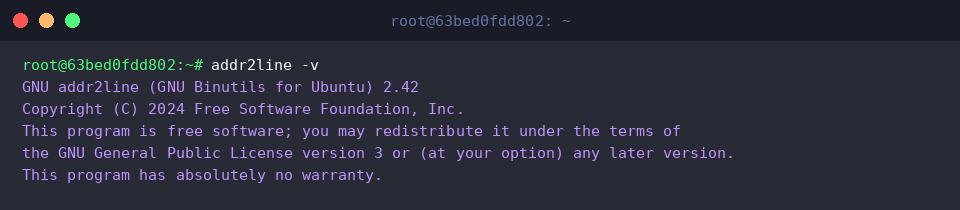
Verify the utility’s presence and review the installed release details using addr2line -v:
addr2line -v
At its core, addr2line translates machine instruction offsets—such as those reported by runtime crash handlers or kernel logs—back into human-readable source locations.
⚙️ [Essential Command-Line Switches]
-e : Targets a specific executable or object file for symbol lookup.-f : Resolves and outputs the enclosing function identifier alongside line coordinates.-C : Decodes cryptic, compiler-mangled symbol names into clean human-readable signatures.-p : Produces concise, human-friendly one-line summaries combining function names and file locations.-a : Prefixes output records with the original queried memory address.-i : Traverses deeply inlined routines to expose the complete call origin hierarchy.
2. Setting Up a Sandbox and Compiling with Debug Symbols (-g)
Let us establish a clean workspace to conduct our crash investigation tests:
mkdir -p ~/addr2line_lab && cd ~/addr2line_lab

Next, instantiate a minimal C source file (test_crash.c) containing a dedicated routine (faulty_function) designed to mimic an error site:
echo -e '#include <stdio.h>\n\nvoid faulty_function() {\n printf("Crash simulation\\n");\n}\n\nint main() {\n faulty_function();\n return 0;\n}' > test_crash.c

When producing the target binary, include DWARF debug information via -g while disabling compiler transformations through -O0 to preserve pristine symbol-to-address correlation:
gcc -g -O0 test_crash.c -o test_crash

To simulate locating an execution address reported during an abnormal termination, inspect the symbol table of our newly compiled binary using nm:
nm test_crash | grep faulty_function
The terminal prints the virtual offset where faulty_function resides, showing 0000000000001149:

3. Resolving Memory Offsets to Source Locations (-e, -f Switches)
To streamline address manipulation across subsequent terminal calls, assign the resolved virtual offset to a shell variable:
FUNC_ADDR=$(nm test_crash | grep faulty_function | awk '{print $1}')

Supply the binary path via -e along with $FUNC_ADDR to map the raw offset directly back to its source origin (test_crash.c:3):
addr2line -e ./test_crash $FUNC_ADDR

Enrich this diagnostic output by appending the -f flag, which instructs the tool to reveal the corresponding function name alongside the source line:
addr2line -f -e ./test_crash $FUNC_ADDR

4. Unraveling C++ Name Mangling (-C) and Inlined Code Paths (-i, -p)
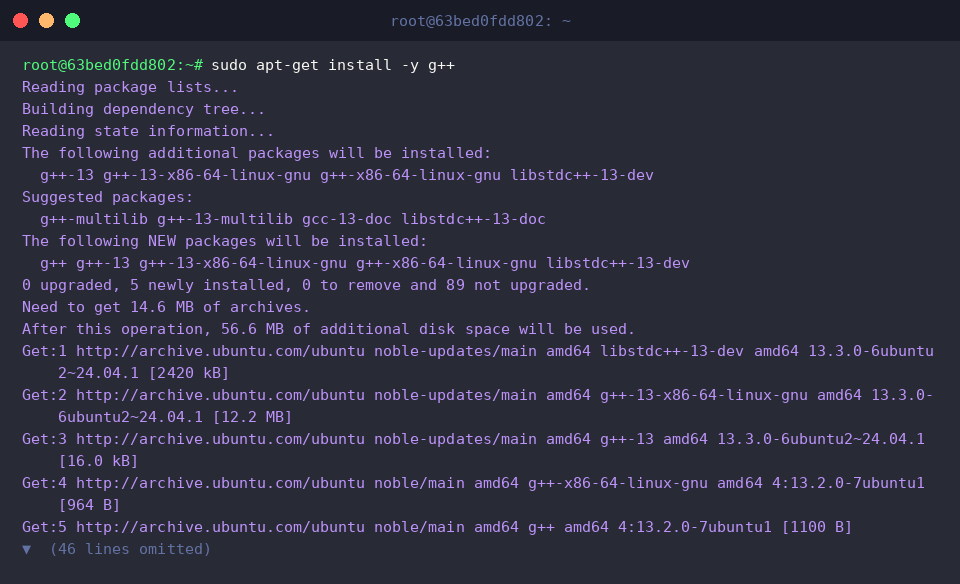
Modern C++ applications heavily feature symbol mangling and inline function expansion. Start by verifying that the GNU C++ compiler is available:
sudo apt-get install -y g++
Construct a sample C++ file (test_cpp.cpp) incorporating nested inlined execution paths:
echo -e '#include <iostream>\n\ninline void deep_inline() {\n std::cout << "Inside inline" << std::endl;\n}\n\nvoid process() {\n deep_inline();\n}\n\nint main() {\n process();\n return 0;\n}' > test_cpp.cpp

Compile the source using -O2 to prompt the compiler to inline candidates while retaining debug data with -g:
g++ -g -O2 test_cpp.cpp -o test_cpp

Extract the entry address for main from the binary’s symbol catalog and store it in MAIN_ADDR:
MAIN_ADDR=$(nm test_cpp | grep 'main' | head -n 1 | awk '{print $1}')

Combine demangling (-C), inline tracking (-i), and compact single-line rendering (-p) to trace the execution context:
addr2line -C -i -p -e ./test_cpp $MAIN_ADDR
When an inquiry yields ??:0, it indicates that runtime relocations—such as Position Independent Executable (PIE) base address randomization—or aggressive compiler optimizations prevent direct mapping of the queried static offset without calculating the binary load base.

Mastering addr2line provides systems engineers and backend developers with a dependable shortcut to dissecting application crashes on Linux. Instead of guessing through hundreds of lines of code when confronted with an enigmatic stack trace, you can reliably isolate the exact line responsible for any fault in a matter of seconds.