


Overview
Whenever a Linux machine completes its boot cycle, administrators are greeted by a classic, unassuming text prompt: login:. Behind this familiar interface sits agetty, an indispensable terminal manager daemon. Rather than sifting through convoluted manual pages, this tutorial provides a direct, practical walkthrough of how systemd orchestrates virtual terminals, how to customize pre-login welcome banners using /etc/issue, and how to tweak runtime parameters using systemd service drop-in overrides.
Unpacking agetty and Inspecting Active systemd Services
First, verify the binary’s exact filesystem location on your host by running which agetty.

At its architectural core, agetty (alternative getty) opens physical or virtual teletypewriter (TTY) ports, configures line speeds and terminal modes, prints the banner, and invokes the login subsystem for incoming authentication requests. Inspect the binary’s installed build release along with its supported flags:
⚙️ [Essential Command-Line Flags]
-a, --autologin : Bypasses manual credential entry and logs in directly as the specified user account.-J, --noclear : Prevents clearing the terminal screen before rendering the login prompt, preserving early boot traces.-f, --issue-file : Directs the utility to read and display an alternative pre-login greeting file instead of the system default.-o, --login-options : Forwards custom parameters and switches straight to the underlying login binary.-n, --skip-login : Suppresses the username input step entirely and triggers the secondary authentication phase immediately.-8, --8bits : Configures the TTY line to support 8-bit clean character transmission without stripping parity.

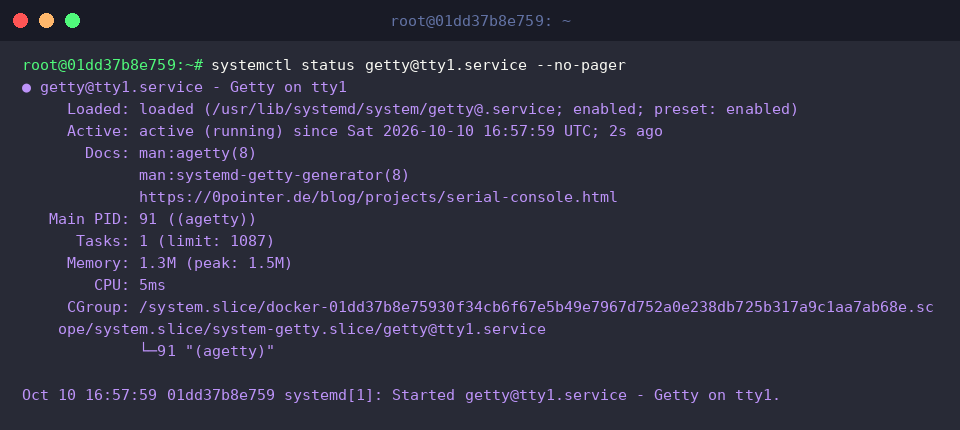
Modern Linux distributions manage virtual consoles via instantiated systemd unit templates. To evaluate the execution state and inspect the process footprint of the primary virtual console (tty1), execute systemctl status getty@tty1.service --no-pager.
The output demonstrates that the daemon is actively running in the background, listening on the terminal device, and awaiting user input.
Crafting Tailored Login Banners via /etc/issue Customization
Prior to prompting for a username, Linux displays the contents of /etc/issue. Review the current default banner template by executing cat /etc/issue.
Inside this file, symbols such as \n and \l serve as built-in escape codes interpreted by agetty, expanding respectively to the system network hostname and the attached terminal line identifier.

Before applying modifications to critical system identification files, always safeguard your baseline by backing up the original config with sudo cp /etc/issue /etc/issue.bak.

To build a richer, dynamic system information banner that outputs real-time platform metadata directly onto the console, pipe a structured template to a temporary staging file: echo -e '\n=== Welcome to Ubuntu Server (tty: \l) ===\nOS: \s \r (\m) | Time: \t\n' | sudo tee /tmp/custom_issue.
This formatted issue profile leverages native escape sequences to substitute the active terminal line (\l), operating system distribution (\s), running kernel release (\r), host hardware architecture (\m), and current local clock time (\t).
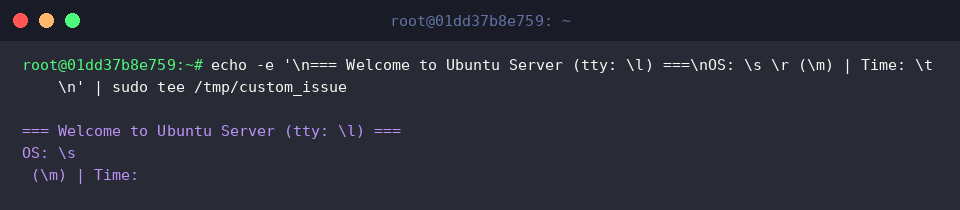
Confirm that the staging file captured every escape parameter and structural formatting element without unintended shell expansions by running cat /tmp/custom_issue.

Overriding Service Configurations with systemd Drop-in Units
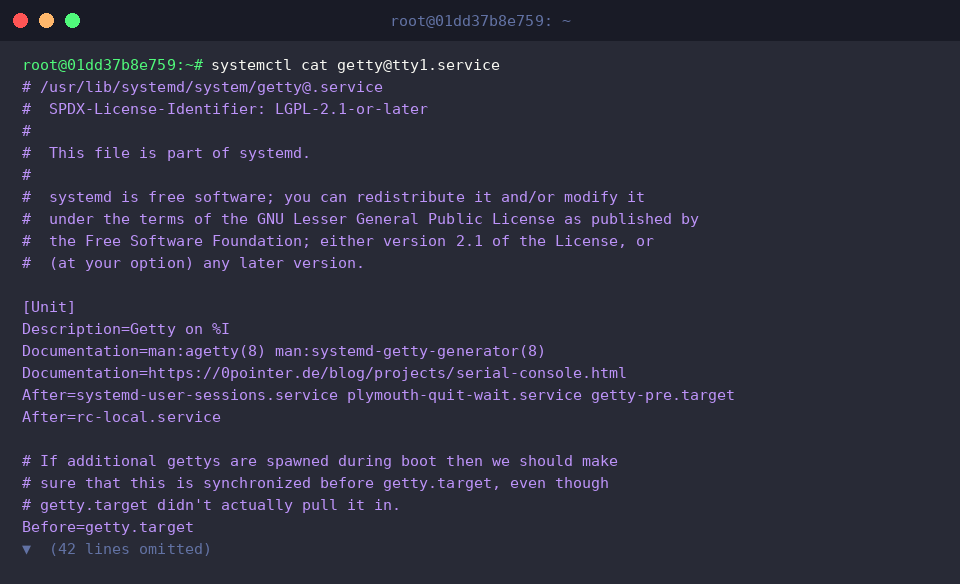
To inspect how systemd provisions the default tty1 console, inspect the active unit definition using systemctl cat getty@tty1.service.
The output exposes the upstream template file located at /usr/lib/systemd/system/getty@.service, highlighting its operational environment and default ExecStart execution string.
Best practices dictate never editing upstream unit files in /usr/lib/ directly. Instead, create a drop-in directory to hold administrative overrides: sudo mkdir -p /etc/systemd/system/getty@tty1.service.d.

Now, customize the startup arguments—instructing agetty to retain screen output (--noclear) and establishing preferred baud rates alongside terminal emulation definitions—by executing echo -e '[Service]\nExecStart=\nExecStart=-/sbin/agetty -o "-p -- \\u" --noclear -s %I 115200,38400,9600 vt220' | sudo tee /etc/systemd/system/getty@tty1.service.d/noclear.conf.
Notice that the first ExecStart= directive clears out the previously inherited command, allowing the subsequent assignment to take precedence cleanly.

Instruct the service manager to re-read unit files and compile the updated dependency tree by running systemctl daemon-reload.

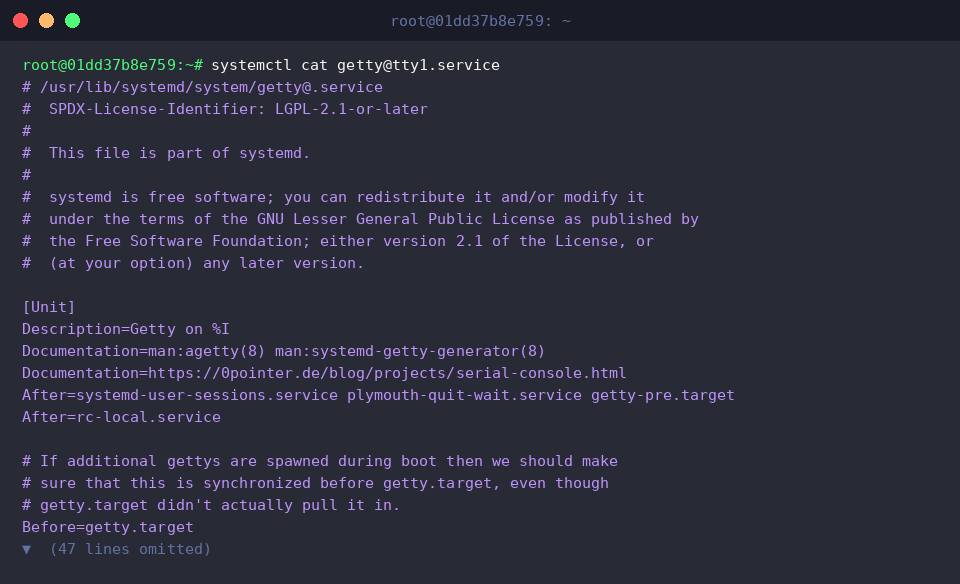
Ensure that your custom drop-in parameters successfully merged into the service profile by validating with systemctl cat getty@tty1.service.
The trailing section of the command output now explicitly references the newly introduced noclear.conf file, confirming that your overrides are live.
Monitoring Active Terminals and Serial Console Instances
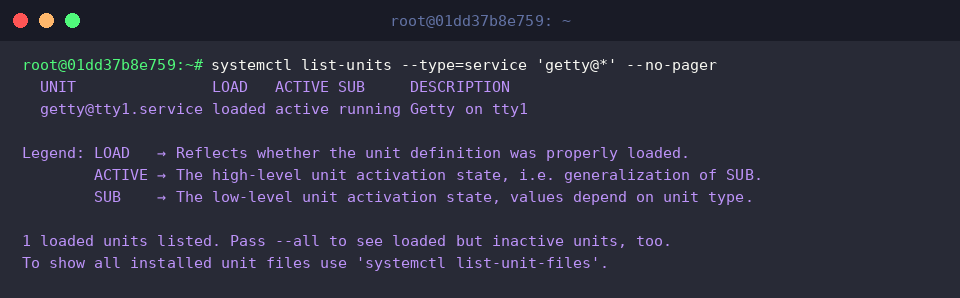
To observe all instantiated terminal management services currently functioning across the operating system, query systemd with systemctl list-units --type=service 'getty@*' --no-pager.
This listing confirms that the dedicated getty@tty1.service worker is loaded and actively servicing virtual console 1.
Headless cloud instances, out-of-band management interfaces, and embedded boards typically rely on serial interfaces rather than virtual consoles. Check the availability of serial getty templates using systemctl list-unit-files 'serial-getty*' --no-pager.
The output indicates that the serial-getty@.service unit template is present in the filesystem and available for activation whenever hardware serial lines are detected.

Finally, obtain a birds-eye view of connected users, their bound TTY lines, and operational metrics with w.
The resulting report provides immediate visibility into active login sessions, idle times, system uptime, and aggregate load averages.

This completes our deep exploration of Linux terminal provisioning through agetty, custom greeting banners, and systemd service overrides. Gaining mastery over these core console mechanisms gives you full control over early system interaction and diagnostic recovery environments.