


Overview
Before introducing any software into a Debian or Ubuntu production environment, thoroughly auditing package metadata and prerequisite libraries safeguards overall system integrity. This walkthrough demonstrates how systems administrators leverage apt-cache to locate binaries, inspect release metadata, and unravel complex dependency hierarchies straight from the terminal.
Synchronizing the Local Cache and Reviewing Database Metrics
To guarantee that query results reflect upstream repository state, refresh the local package indexing silently using sudo apt-get update -qq.

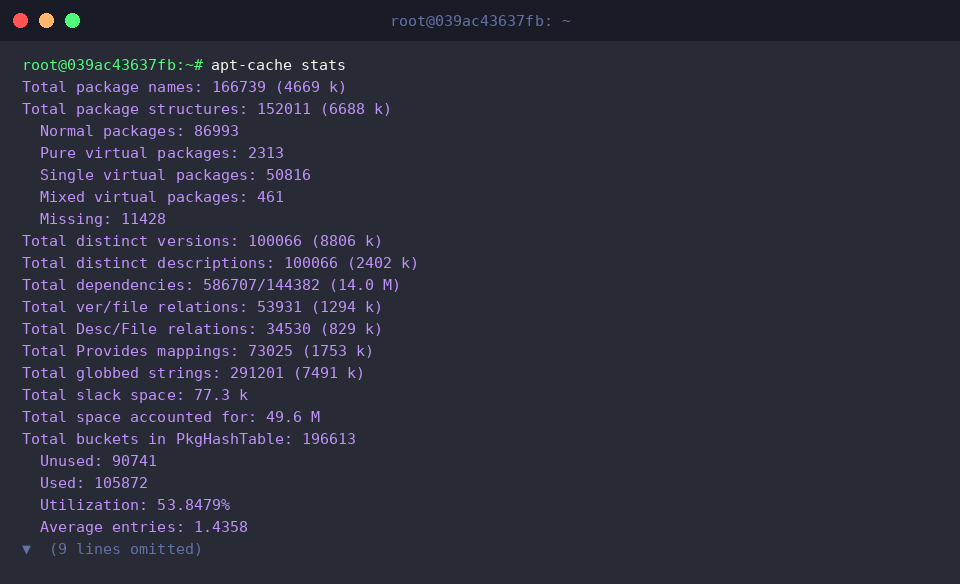
Invoking apt-cache stats dumps diagnostic telemetry covering local database architecture, total recorded packages, and overall dependency relationships.
⚙️ [Primary Flags]
-p : Explicitly sets an alternative target path for the package cache file.-s : Supplies a custom location for the source cache file.-q : Suppresses runtime progress indicators by enabling quiet execution.-i : Limits dependency output to strictly crucial, non-optional packages.--names-only : Constrains pattern matching solely to package names while bypassing descriptions.--all-versions : Enumerates metadata records across every candidate and installed release.--full : Dumps the complete raw package records during search routines rather than trimmed one-line summaries.
Locating Candidate Software via Keywords and Prefix Filtering
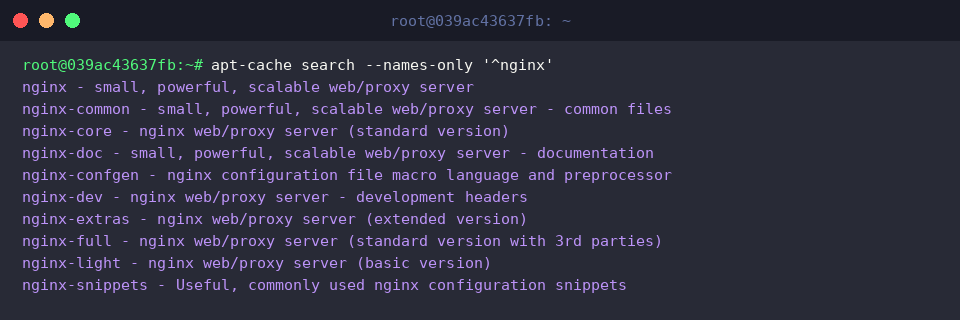
Running apt-cache search --names-only '^nginx' instructs APT to evaluate only the identifier fields against regular expressions, bypassing lengthy descriptive bodies.
This approach rapidly exposes every package starting with the prefix nginx alongside its short functional synopsis without extraneous search noise.
When you only need clean identifiers without auxiliary synopsis text, apt-cache pkgnames curl | head -n 10 swiftly scans the database for matches sharing a common prefix.
Piping the stream through head truncates the output, rendering an uncluttered list ideal for scripting and pipeline automation.

Examining Deep Metadata and Target Repository Tracking
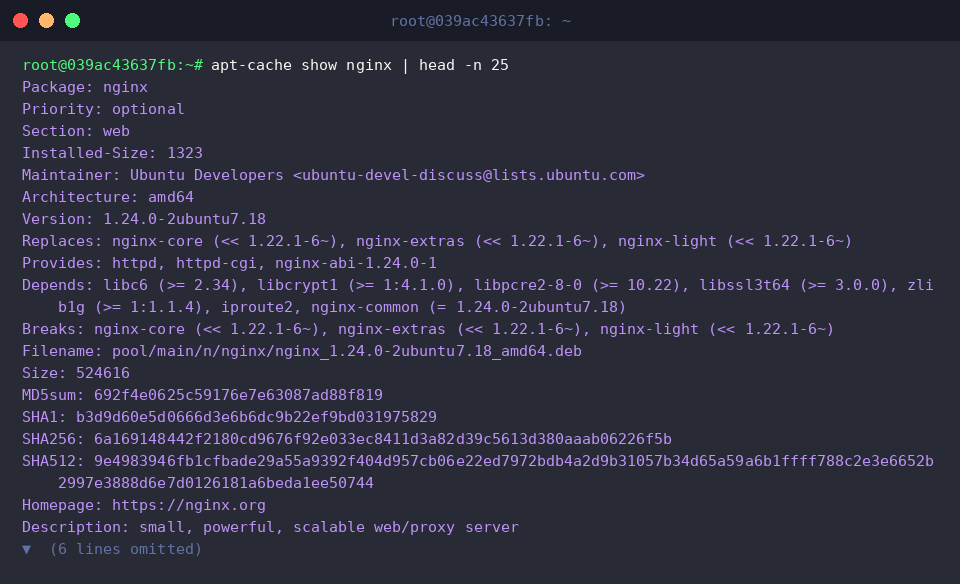
To unpack complete package properties, execute apt-cache show nginx | head -n 25.
This extracts the canonical manifest, exposing architecture constraints, package maintainers, binary sizes, and explicit Depends declarations, with head serving to spotlight immediate top-level specifications.
The apt-cache madison nginx utility displays a tabular overview revealing where candidate packages reside across configured APT branches.
Administrators can instantly contrast package builds against respective repository tiers—including baseline distribution tags (noble), operational channels (noble-updates), and critical patches (noble-security).

Tracing Direct and Reverse Dependency Linkages
Running apt-cache depends curl reveals the underlying software components, runtimes, and shared dynamic libraries demanded by the executable.
Evaluating this output illustrates how curl explicitly relies on components like libc6, libcurl4t64, and zlib1g to function as intended.

Conversely, running apt-cache rdepends --installed curl | head -n 15 identifies which installed binaries rely on the target package as an active dependency.
Performing this reverse audit helps administrators foresee potential downstream breakage or cascaded removals before pruning or modifying foundational packages on a live server.

Mastering these core apt-cache subcommands empowers engineers to evaluate software risks, track dependencies, and troubleshoot package repositories efficiently. Incorporating these inspection practices into your routine workflows ensures greater predictability and stability across Ubuntu infrastructure.