


Overview
When unexpected shell glitches arise on Ubuntu, GNU provides a built-in diagnostic utility called bashbug to bundle and dispatch comprehensive environment data straight to the upstream maintainers. This walkthrough explores how bashbug operates under the hood, demonstrating how to generate pre-filled issue templates, inspect vital compilation flags, and safely export reports to local storage without unintentionally firing off emails.
1. Locating the bashbug Executable and Inspecting the Local Bash Environment
Begin by querying the filesystem to determine where the diagnostic binary resides using which bashbug.
Standard Ubuntu distributions package this utility directly within /usr/bin/bashbug.
⚙️ [Command-Line Arguments]
The utility can be triggered standalone or supplied with an arbitrary target recipient:--help : Displays inline syntax summaries and usage flags.--version : Outputs the script’s release and maintenance revisions.[address] : Overrides the default upstream mailing list to route the diagnostic package to an alternate email address.

Because any diagnostic inquiry requires pinpoint accuracy regarding the active shell release, verify your current build details with bash --version.
The resulting terminal output details the exact patch level, release version, and underlying architecture.
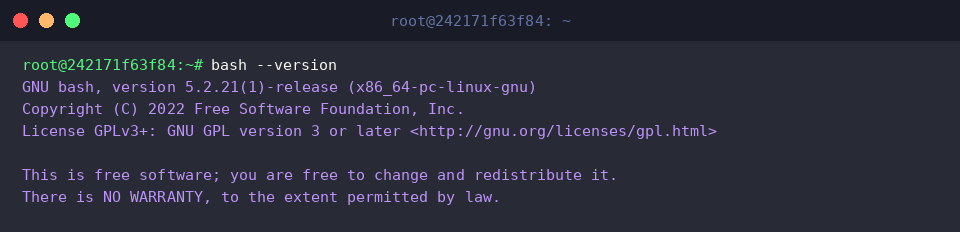
To verify the packaging format of the diagnostic tool, inspect its file attributes by passing the command path via command substitution into file $(which bashbug).
This quickly confirms whether the binary is an executable ELF image or an interpreted shell script.

2. Managing Editor Invocation and Generating Report Templates
By default, launching bashbug spawns an interactive text editor that stalls non-interactive terminal sessions. To bypass full-screen editors like Nano or Vim, point the session editor variable to cat via export EDITOR=cat.

Review the basic invocation parameters and operational behavior of the utility by executing bashbug --help || true.
The help text reveals the preconfigured upstream bug-reporting mailing list and notes that exiting the editor without modifications will abort the mail dispatch process.
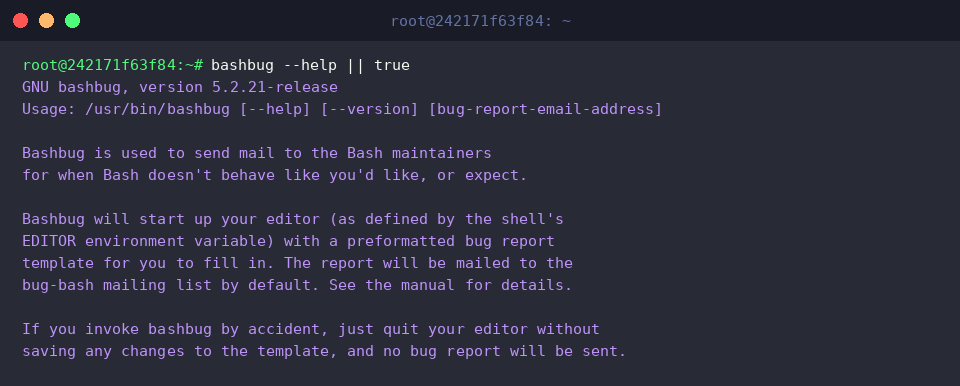
To test template generation in an automated, non-interactive fashion, pipe the empty input stream into the command using EDITOR=cat bashbug < /dev/null.
Because the utility still attempts interactive confirmation or initiates the local mail transfer agent, the command may eventually encounter a timeout waiting for further input.

3. Dissecting System and Architecture Metadata Collection
Before reporting an issue upstream, engineers should inspect the platform footprint collected by the tool. Run uname -a to print the active Linux kernel revision, network node name, OS build, and CPU architecture.
This output forms the baseline host profile referenced whenever a shell diagnostic report is compiled.

Bash internally tracks its compilation targets through preset environmental parameters. Evaluate these targets directly via echo "Host: $MACHTYPE, OS: $OSTYPE".
These variables store the exact GNU target triplet and operating system identifier established during package compilation.

To extract only the core hardware and build metadata from the generated template, filter the stream using EDITOR=cat bashbug < /dev/null | grep -E '^(Machine|OS|Compiler|Release):'.
Note that piping /dev/null may still cause execution timeouts as the tool tries to proceed with background submission stages, but the matched configuration fields will still be parsed.

4. Capturing Bug Reports to Local Files for Safe Inspection
To isolate your experimentation and prevent accidental email broadcasts, create a sandboxed directory using mkdir -p ~/bashbug-test.

Rather than allowing the utility to hand the payload over to an installed Mail Transport Agent (like Postfix or Sendmail), redirect the standard output into a local file: EDITOR=cat bashbug < /dev/null > ~/bashbug-test/sample_bug_report.txt.
Even if the background dispatch logic hangs or times out, the generated report body is successfully captured into the designated text file.

Verify the structured content and initial header metadata of the captured artifact with head -n 25 ~/bashbug-test/sample_bug_report.txt.
The resulting output reveals standard mail header fields (including destination addresses and subject tags) alongside compiler options, machine architectures, and Bash release states.
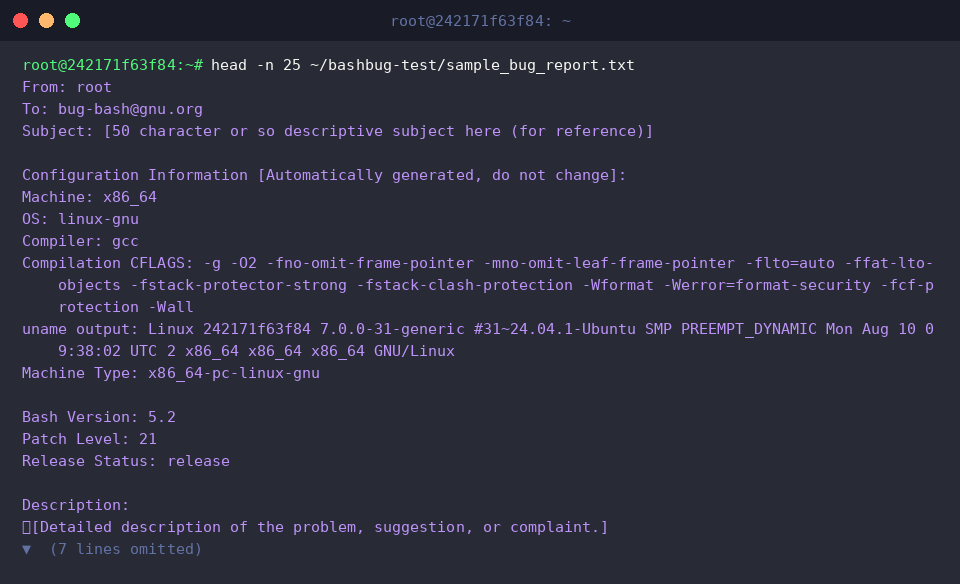
This concludes our hands-on exploration of using bashbug on Ubuntu to inspect and format Bash diagnostic data.
Whenever you run into reproducible edge cases or syntax parser bugs in the GNU Bash shell, leveraging bashbug ensures you hand off rich, standardized diagnostic contexts to maintainers.