


Overview
Extracting multi-gigabyte bz2 archives simply to review internal logs or configuration settings incurs substantial disk I/O overhead and consumes precious storage. The bzcat utility eliminates this bottleneck by decompressing archive payloads directly on the fly and streaming data straight to standard output. In this walkthrough, we explore core mechanics, essential invocation parameters, and real-world shell pipeline techniques designed to accelerate daily troubleshooting.
Setting Up the Environment: Installing bzip2 and Preparing Test Archives
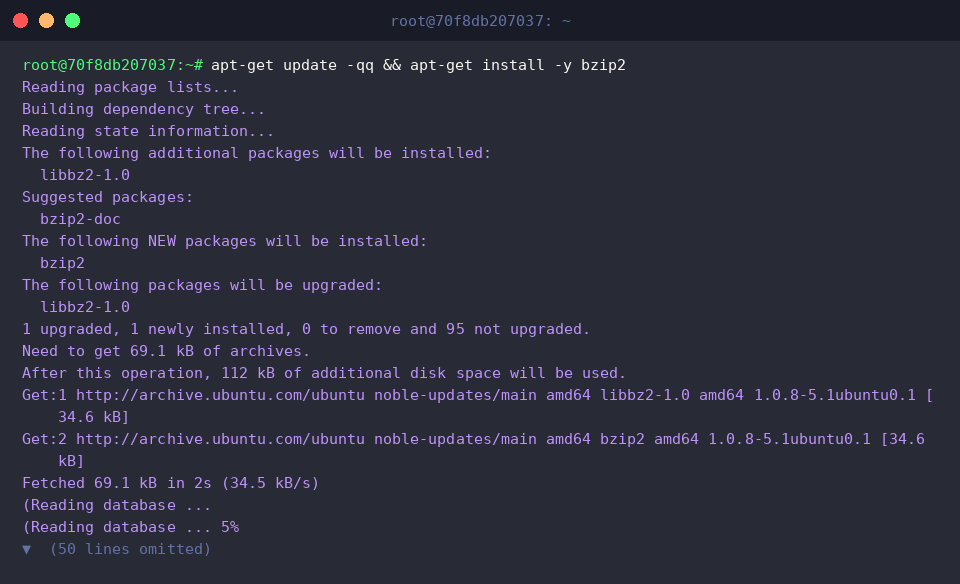
Begin by verifying that the necessary archive utilities reside on your Ubuntu host. Refresh repository indices and retrieve the bzip2 suite via apt-get update -qq && apt-get install -y bzip2.
Next, construct a mock runtime log (app.log) using echo to simulate typical operational log output, complete with status checkpoints and error conditions.

Compress the newly created log into an archive using bzip2 -k app.log. Passing the -k flag retains the original plaintext artifact alongside the compressed output.

Inspect both artifacts side by side with ls -lh app.log* to confirm successful archive generation and examine file footprints.

Fundamental bzcat Operations: Direct Terminal Streaming
Rather than writing an uncompressed duplicate back to storage, bzcat streams the decompressed byte stream straight to stdout. Because no temporary files are generated on disk, this approach minimizes write cycles, avoids filling up root partitions, and yields instantaneous results when surveying massive files.
⚙️ [Key Flags & Options]
-s : Operates in quiet mode, suppressing extraneous warning banners while retaining critical diagnostic errors.-f : Forces passthrough processing, allowing the utility to output plain uncompressed text or resiliently process irregular streams.-v : Enables verbose diagnostic logging, printing runtime compression statistics and decompression metrics.-k : Preserves source archives during decompression runs (maintained for standard CLI compatibility).

Pipeline Integration: Querying and Measuring Compressed Data
Directing stdout across a pipeline (|) into standard GNU text processing utilities unlocks immense flexibility. For instance, piping bzcat app.log.bz2 into grep 'ERROR' isolates incident records and failure traces instantaneously without staging scratch files on disk.

Similarly, pairing bzcat with wc -l tallies the cumulative line count across the compressed payload. This technique provides immediate visibility into log volume and message frequency without incurring the disk footprint of full inflation.

Multi-Archive Streaming and File Consolidation via Redirection
To demonstrate sequential archive aggregation, populate a second dataset (app2.log) and immediately compress it into app2.log.bz2.

Supplying multiple file paths to bzcat causes the utility to stream each archive’s contents in series without halting between inputs. When auditing time-rotated or date-stamped .bz2 audit logs, this enables effortless chronological inspection.

Taking this sequential output and applying standard shell redirection (>) consolidates several distinct bz2 archives into a unified plaintext destination like merged.log. This approach bypasses tedious manual decompression steps and concatenates the streams in a single, fluid pass.

Finally, verify output integrity with cat merged.log. Reviewing the consolidated artifact confirms that every event from both source archives was merged sequentially and cleanly preserved without truncation.

Mastering bzcat transforms how system administrators triage legacy dumps and archived syslogs. Leveraging direct stream evaluation over wasteful local decompression keeps disk utilization low, safeguards operational storage, and significantly speeds up investigative CLI workflows.