


Overview
Decompressing archived logs or configuration snapshots just to inspect recent changes wastes disk space and adds needless I/O friction. Linux resolves this problem through bzdiff, a utility designed to inspect disparities between two bzip2 archives—or between a compressed file and a standard text document—without extracting either to disk. This technical guide outlines core operational patterns, essential diff formatting options, and shell automation practices using exit status codes.
Setting Up Prerequisites and Running a Baseline Archive Comparison
To start experimenting with bzdiff, verify that your environment contains the necessary binaries by installing the bzip2 and diffutils packages.
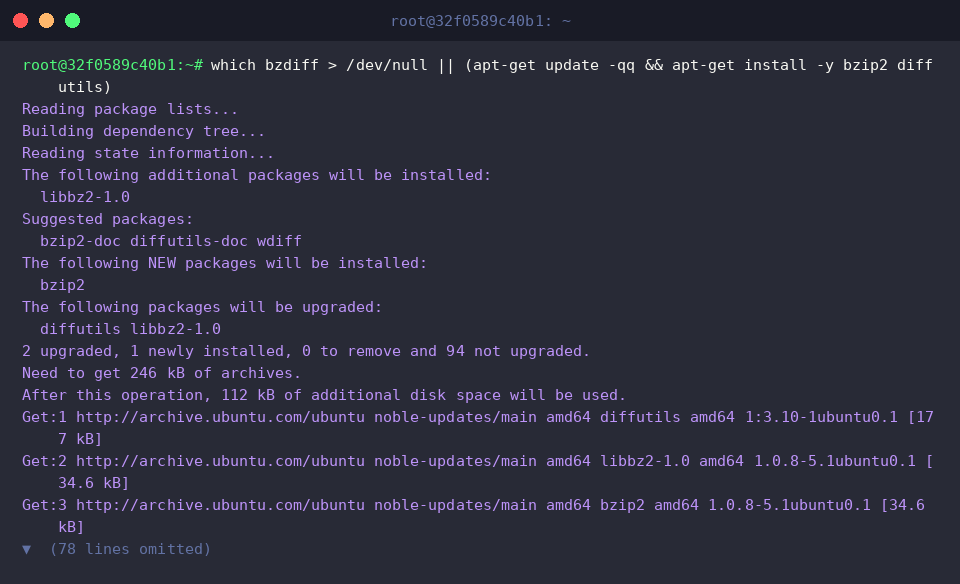
Create two mock web service configurations (config_v1.txt and config_v2.txt) populated with distinct network port values (80 vs 8080) to serve as comparison targets.

Next, compress both test files with bzip2 -k config_v1.txt && bzip2 -k config_v2.txt. The -k flag instructs the utility to retain the uncompressed plaintext originals for later walkthroughs.

Invoking bzdiff against both .bz2 files evaluates the streams on the fly and renders standard diff syntax. The terminal output demonstrates that line 2 was updated from port=80 to port=8080.
⚙️ [Core Options]
-u : Generates unified diff output, showing modifications alongside inline context markers.-c : Outputs changes in traditional context diff format with neighboring reference lines.-q : Runs in quiet mode to confirm whether files match, omitting detailed line diffs.-i : Treats uppercase and lowercase characters as identical during parsing.-w : Ignores variations in whitespace such as spaces and tabs.-y : Displays file discrepancies in a side-by-side two-column terminal view.

Comparing a Compressed Archive Directly Against Plain Text
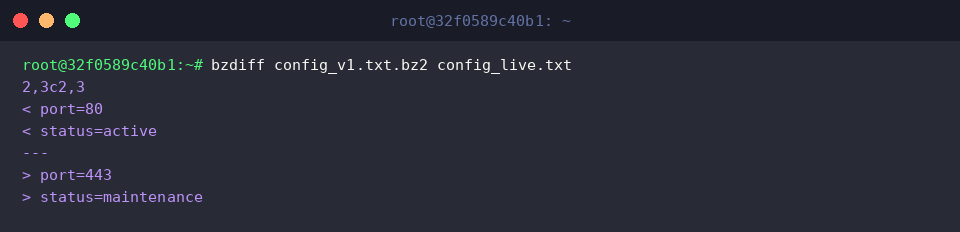
bzdiff seamlessly bridges format boundaries by evaluating a compressed .bz2 file against a standard uncompressed text file. First, construct a simulated production configuration named config_live.txt containing modified parameters.

Pass the archive (config_v1.txt.bz2) and the raw text file (config_live.txt) into bzdiff. The tool detects line-level differences immediately—highlighting the updated port (port=80 to port=443) and service state (status=active to status=maintenance) without temporary archive decompression.
Enhancing Readability with Unified Diff Output (-u)
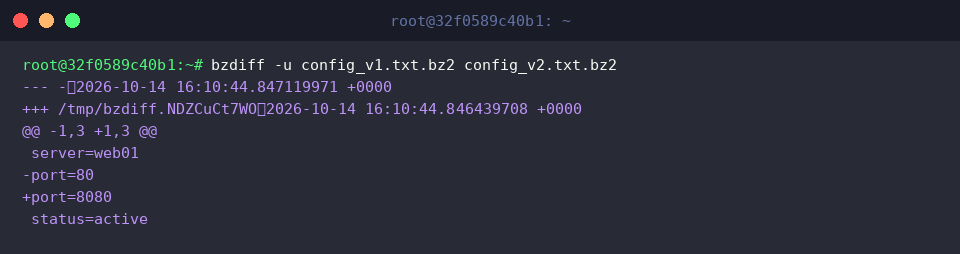
Standard diff output can be difficult to interpret when analyzing complex configuration drift. Adding the -u switch forces bzdiff to generate unified diff notation across config_v1.txt.bz2 and config_v2.txt.bz2. The resulting output highlights deleted lines with - and newly added lines with +, framed neatly within their surrounding context.
Exit Codes for Shell Automation and Scripting Considerations
Reliable bash automation relies on command exit statuses rather than parsing stdout text. Comparing identical archives with bzdiff produces an exit code of 0, allowing clean script execution via the && operator.

When differences exist between archives, bzdiff terminates with an exit status of 1. Shell scripts can monitor this non-zero state to trigger notification hooks or conditional logic using the || operator.

Conclude the exercise by removing the mock configuration files and generated .bz2 archives using rm -f config_v1.txt config_v2.txt config_live.txt config_v1.txt.bz2 config_v2.txt.bz2.

Leveraging bzdiff eliminates the overhead of decompressing files during server auditing, backup validation, and log analysis. Integrating this tool with unified diff flags and status code validation provides system administrators with an efficient mechanism for diagnostic scripting.