


Overview
Decompressing massive archived logs just to track down an incident wastes both disk space and I/O bandwidth. In Linux environments, the bzegrep utility provides an efficient alternative by piping decompressed streams directly through extended regular expression matching. This hands-on walkthrough covers foundational usage patterns, complex regex filtering, and batch analysis across multiple .bz2 files without touching disk storage.
Setting Up the Test Environment and Installing bzip2
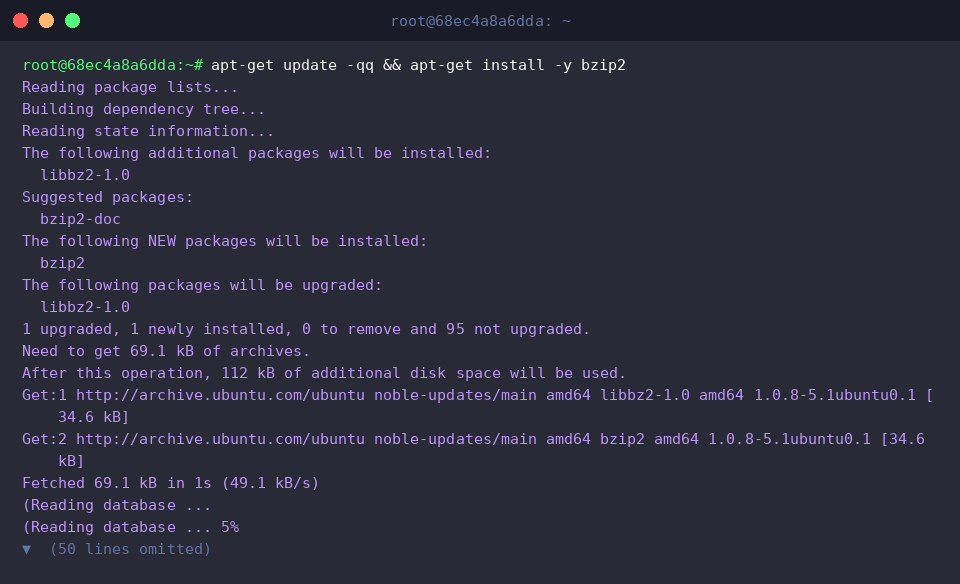
Ensure that the core tools are present on your system by installing the standard bzip2 suite.
Set up an isolated scratch directory to keep exercise files organized, then switch into it using mkdir -p /tmp/bzegrep-lab && cd /tmp/bzegrep-lab.

Populate a mock log file named app.log containing typical application operational states.

Generate the compressed archive while preserving the uncompressed reference file by running bzip2 -k app.log.

Confirm that the new archive was written successfully with ls -lh app.log.bz2.

Searching Inside bz2 Archives Without Prior Extraction
Switch into the lab directory with cd /tmp/bzegrep-lab before running the search commands.

Execute bzegrep to inspect app.log.bz2 directly for occurrences of the ERROR string.
The utility extracts the content on the fly and streams matching failure entries immediately to stdout.

Pass the -i flag to run a case-insensitive query for the string warn.
Even though the search parameter is provided in lowercase, the uppercase WARN record is captured and displayed.

Append -n to display the matching row’s line offset alongside the text when searching for Database.
The output prepends line number 3, reflecting its original position prior to compression.

Matching Complex Patterns Using Extended Regular Expressions (ERE)
Return to the lab directory via cd /tmp/bzegrep-lab to continue with advanced query examples.

Take advantage of ERE alternation using the pipe operator (|) to locate lines containing either ERROR or FATAL inside app.log.bz2.
Both severe event classifications are extracted simultaneously in a single pass.

Isolate specific critical entries by combining an ISO timestamp regex prefix with target severity indicators.
This structure guarantees that only properly formatted timestamps carrying WARN or ERROR designations reach the terminal.

Invert the match condition with -v to suppress standard operational output containing INFO.
Filtering out normal informational messages leaves behind only abnormal conditions requiring administrator review.

Querying Multiple Archives and Extracting File Names
Ensure you remain in the correct workspace by running cd /tmp/bzegrep-lab.

Introduce an additional log stream by writing new records into worker.log.

Archive this second file directly using bzip2 worker.log.

Scan across all available compressed archives (*.bz2) for ERROR, forcing filename labels on every match via -H.
Every matched entry is clearly prefixed with its origin container, streamlining triage across distributed logs.

When pinpointing affected files without inspecting individual records, supply -l to output matching filenames only.
The command returns a clean list containing strictly the archives harboring the ERROR pattern.

Evaluate log density across archives with -c to print the frequency of matches per file.
Each target container displays an exact count of corresponding ERROR lines for rapid impact assessment.

The bzegrep command offers a fast, zero-extraction solution for querying archived .bz2 logs on Ubuntu. Incorporating it into incident response routines and automated troubleshooting pipelines preserves valuable drive endurance and significantly reduces diagnostic turnaround.