


Overview
The bzfgrep utility provides Linux administrators with an efficient way to locate literal, fixed strings directly inside .bz2 compressed archives without the overhead of manual decompression. When troubleshooting large production log files or navigating deep system backups, streaming searches through bzfgrep dramatically conserves both disk I/O and temporary storage. This guide walks through practical, hands-on scenarios demonstrating how to leverage bzfgrep for rapid log analysis.
Verifying bzip2 Installation and Setting Up Test Archives
Before testing string search workflows, ensure the underlying utility suite is present on your system by checking for bzfgrep or installing the package through the APT package manager.
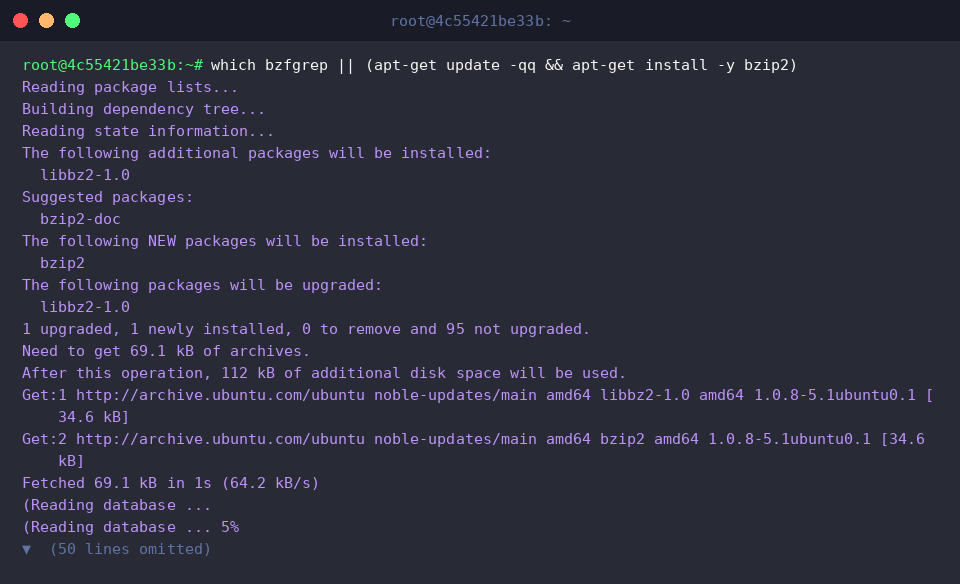
To create a realistic testing environment, generate a multi-line mock server log and compress it using echo and bzip2 -k server.log while retaining the uncompressed source file.

Verify that the target archive server.log.bz2 was successfully compiled with appropriate file attributes and permissions by running ls -l server.log.bz2.

Direct String Queries with bzfgrep Without Decompressing
Querying records inside server.log.bz2 requires no intermediate decompression step; running bzfgrep against the literal keyword ERROR scans the compressed stream directly.
The terminal output immediately exposes the critical connection timeout incident, saving you from extracting bulky archives just to read a single failure log.

When querying terms containing whitespace, wrap the pattern in quotation marks, such as "User login".
Because bzfgrep treats the query strictly as a fixed literal rather than a regular expression pattern, search execution remains lightweight and returns the exact matching entry for user alice.

Enhancing Searches with Case Insensitivity (-i), Line Numbers (-n), and Match Counts (-c)
Passing the -i flag forces the search routine to disregard character casing when probing server.log.bz2 for lowercase error.
Even though the source message recorded the tag in uppercase as [ERROR], the query reliably matches and displays the target event.

When correlating errors with uncompressed backups or external references, include the -n option to prepend the original line index to each matched hit.
Looking at the output prefix reveals precisely where the matching log event resided prior to archive compression.

If full log lines clutter your analysis and you only need statistical totals, invoke the -c switch.
Instead of dumping log bodies, server.log.bz2 yields an exact count indicating that two INFO entries reside in the archive.

Scanning Multiple bz2 Files and Filtering by Filename (-l, -H)
To demonstrate multi-archive inspection across distributed services, spin up an authentication log and compress it via echo -e "2026-10-14 [ERROR] Database deadlock\n2026-10-14 [INFO] Service restarted" > auth.log && bzip2 auth.log.

Supply the -H flag while expanding wildcards across all log archives (*.log.bz2) to prefix every matching line with its respective filename.
This makes it effortless to distinguish which specific service instance—such as auth.log.bz2 versus server.log.bz2—triggered the ERROR condition.

When compiling a list of suspect logs for automated ingestion or report generation, use the -l option to suppress message bodies and return strictly matching file paths.
The command outputs clean references to auth.log.bz2 and server.log.bz2, allowing engineers to isolate problem nodes in seconds.

Mastering bzfgrep equips system administrators and DevOps engineers with a high-performance technique for parsing bzip2 logs without wasting storage or compute cycles on manual extraction. Integrate these flags into your operational workflows to streamline incident response and routine log audits.