


Overview
Modern Linux systems decompose monolithic superuser privileges into discrete, granular units known as capabilities. When auditing, debugging, or sandboxing processes against unauthorized access, the capsh (Capability Shell Wrapper) utility serves as an indispensable tool in any administrator’s toolkit. This hands-on tutorial demonstrates how to install and utilize capsh on Ubuntu to inspect active privilege states, decode raw hex bitmasks, strip dangerous capabilities, and securely delegate execution rights to unprivileged service users.
Installing libcap2-bin and Inspecting Process Capabilities (–print)
To equip Ubuntu with capsh and its companion capability management utilities, install the libcap2-bin package using APT:
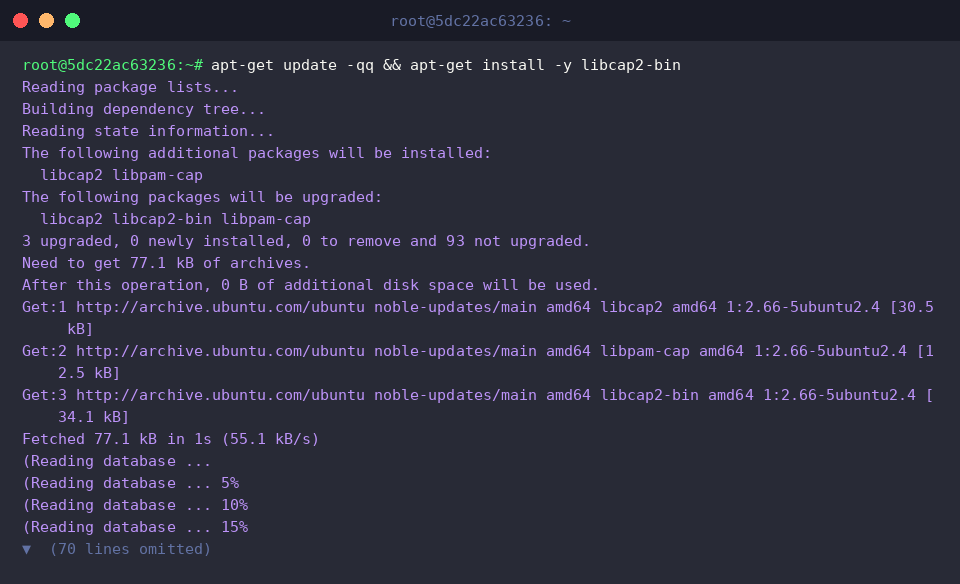
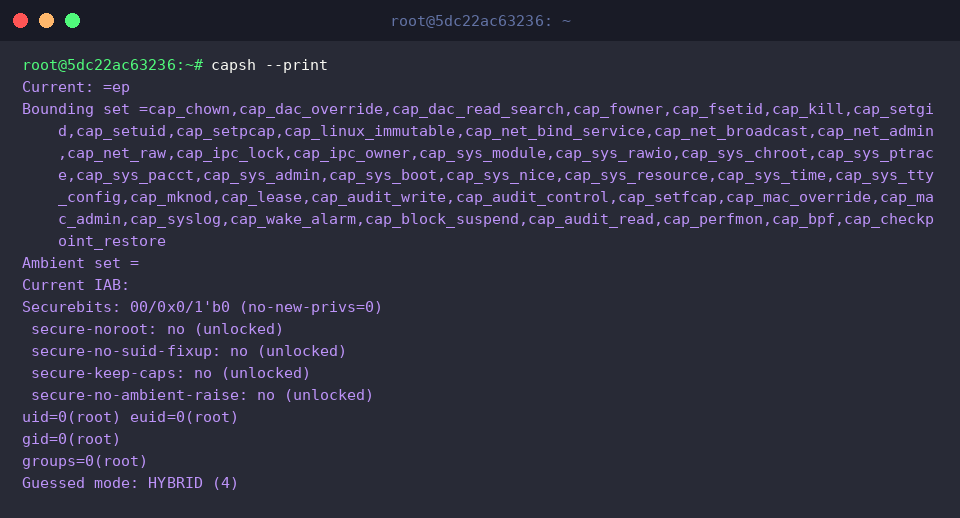
Invoking capsh --print outputs a thorough diagnostic report of the current execution context. It surfaces active capability sets—including Effective, Permitted, Inheritable, and Bounding matrices—alongside security credentials such as UIDs, GIDs, and securebits flags. Inspecting this summary provides clear, real-time insight into the administrative boundaries governing your current shell session.
⚙️ [Core Options]
--print : Outputs comprehensive capability assignments, user/group IDs, and securebits flags for the active shell.--drop : Permanently purges specified capabilities from the process bounding set.--caps : Manually applies a designated capability specification string to the target process.--user : Shifts process execution credentials to the designated user and group identity.--inh : Configures the inheritable capability set passed down to child executions.--addamb : Registers capabilities into the ambient set to preserve them across non-setuid program invocations.--secbits : Adjusts kernel security bit flags to control privilege transition policies.--chroot : Traps and isolates the execution environment within a specified root directory.
Checking Kernel Feature Support and Decoding Bitmasks (–supports, –decode)
You can probe whether specific capabilities are supported by the active kernel using the --supports option. For example, capsh --supports=cap_net_raw checks if raw network packet operations are supported. When a capability is recognized by the kernel architecture, the command terminates cleanly with an exit code of 0 without printing unnecessary output.

Similarly, executing capsh --supports=cap_sys_admin verifies support for the broad system administration capability (cap_sys_admin). Because a zero exit status indicates full kernel compatibility, shell automation scripts frequently rely on this pattern to perform pre-flight privilege validation.

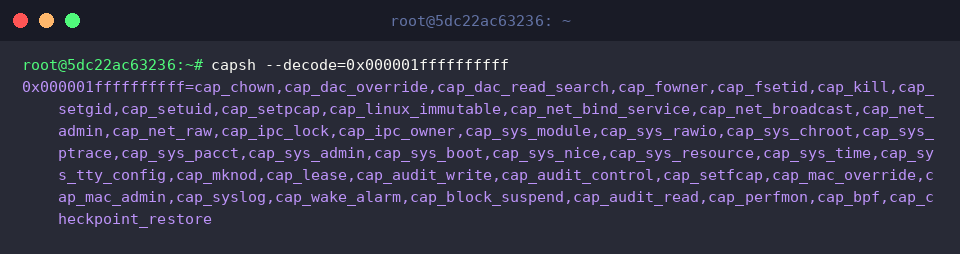
System diagnostics like /proc/[PID]/status represent process capability states as hexadecimal bitmasks (e.g., CapEff, CapBnd). The command capsh --decode=0x000001ffffffffff parses these hex integers into human-readable capability tokens. The decoded breakdown exposes the full suite of enabled rights encoded in the mask, including cap_chown, cap_sys_admin, and cap_bpf.
Dropping Privileges from the Bounding Set for Process Isolation (–drop)
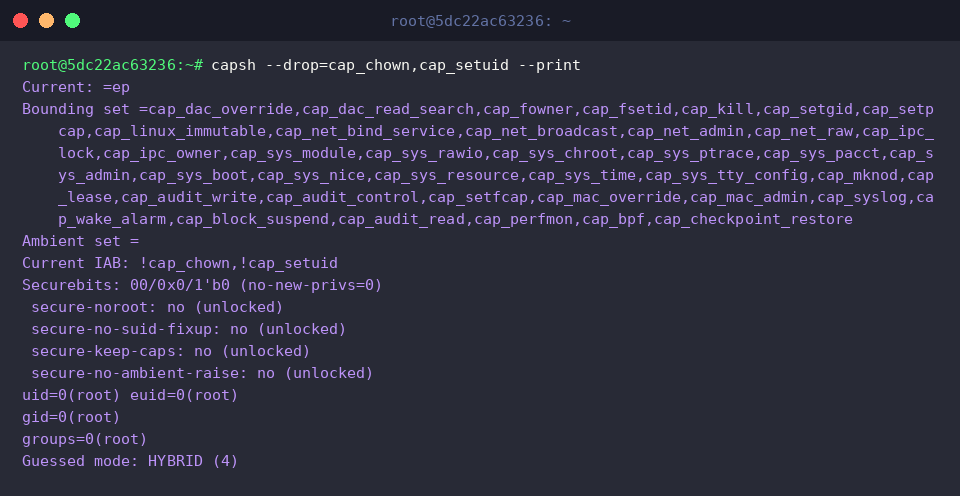
Hardening a runtime environment often requires stripping dangerous permissions before executing untrusted tasks. Running capsh --drop=cap_chown,cap_setuid --print removes both cap_chown and cap_setuid from the bounding set and displays the modified security profile. The output verifies that these privileges have been expunged from the Bounding set and Current IAB fields, effectively locking down the process according to the principle of least privilege.
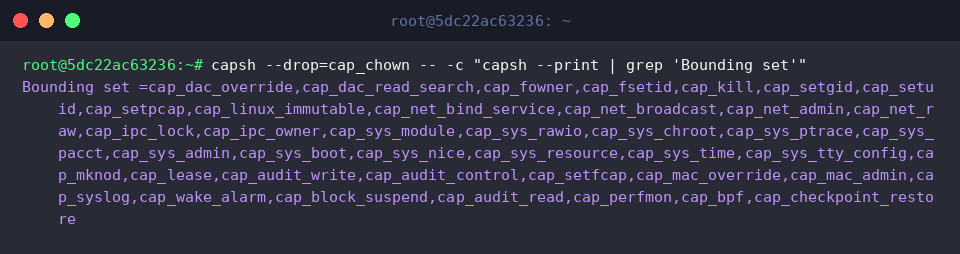
To demonstrate privilege confinement across subprocess boundaries, capsh --drop=cap_chown -- -c "capsh --print | grep 'Bounding set'" spawns an enclosed shell and inspects the resulting bounding vector. The filtered result proves that child processes inherit the restricted boundary, confirming that dropped capabilities cannot be reclaimed down the process tree.
Dropping Down to Unprivileged Users with Targeted Capabilities (–user, –caps)
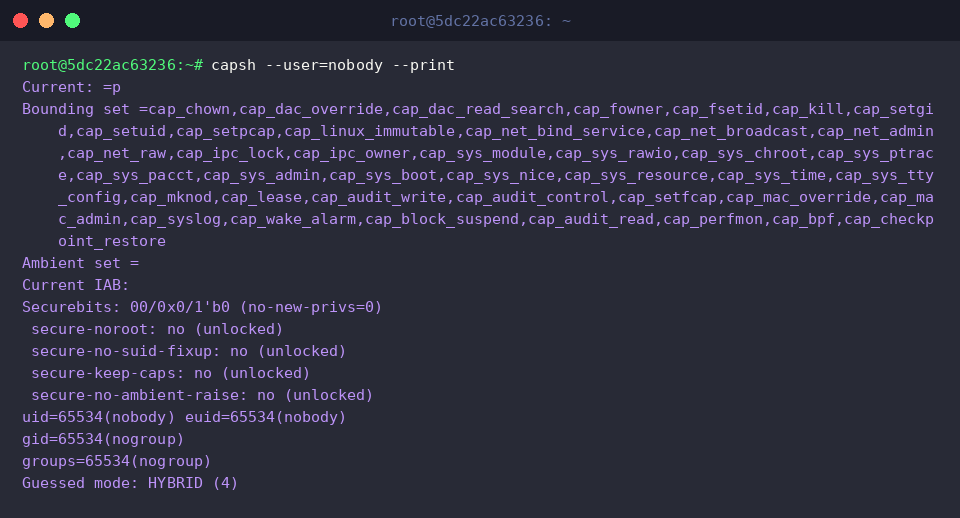
Migrating services to low-privilege service accounts minimizes the blast radius of potential compromises. The command capsh --user=nobody --print drops root access and adopts the nobody user and group credentials. The terminal output confirms that UID and GID shift to nobody(65534), illustrating the unprivileged baseline established when switching users without assigning supplementary capabilities.
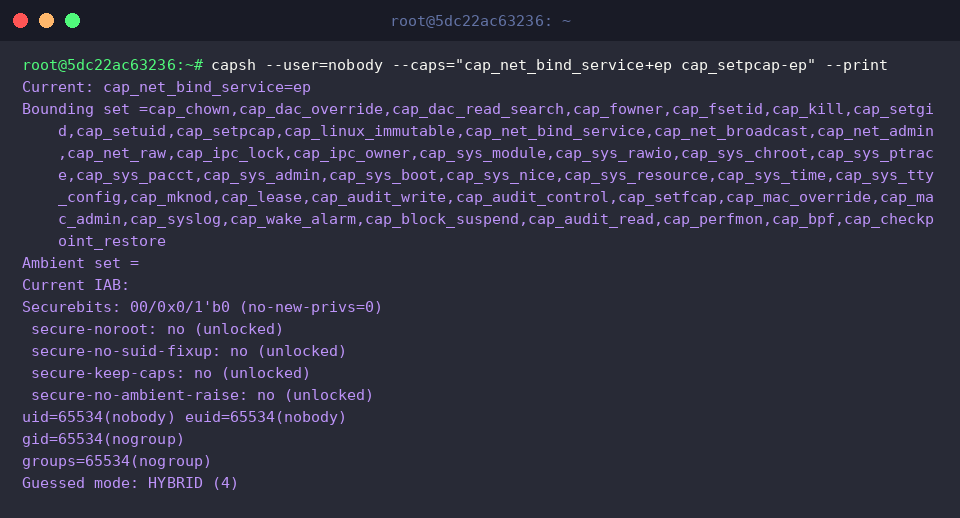
Network daemons frequently require a single privileged operation—such as listening on ports below 1024—without needing broad superuser permissions. Running capsh --user=nobody --caps="cap_net_bind_service+ep cap_setpcap-ep" --print changes the identity to nobody while selectively injecting cap_net_bind_service into the Effective (e) and Permitted (p) sets. In the resulting output, cap_net_bind_service=ep under the Current header validates that an unprivileged user can safely bind to low-numbered network ports while remaining strictly isolated from the rest of the operating system.
This practical walkthrough covered how to audit capability states, decode raw bitmasks, and isolate processes using capsh on Ubuntu. Replacing all-or-nothing root privileges with targeted capability sets empowers engineers to build more resilient, secure, and production-ready Linux environments.