


Overview
This guide walks through the complete workflow of writing, compiling, and running C applications on Linux using the standard cc compiler. Designed with practical engineering fundamentals in mind, we cover everything from provisioning the core toolchain and executing baseline builds to enforcing code safety with flags like -o and -Wall, concluding with modular multi-file compilation techniques.
Setting Up the C Toolchain and Exploring the cc Command
To prepare an Ubuntu workstation for native C development, pull in the essential compilation packages by running sudo apt-get update -qq && sudo apt-get install -y build-essential.

Verify the exact binary path of the system’s default C compiler by executing which cc.

The cc frontend handles the transformation of raw C source files into executable machine code.
Inspect the underlying compiler distribution and release version with cc --version.
⚙️ [Core Compiler Flags]
-o : Designates a custom output filename for the generated binary.-c : Compiles source code into intermediate object files (.o) while skipping the linker phase.-Wall : Turns on all common diagnostic compiler warnings to catch potential code defects early.-g : Emits debug symbols into the binary to facilitate troubleshooting in tools like GDB.-O2 : Instructs the compiler to apply intermediate optimizations that improve runtime performance.

Writing Your First C Program and Running Default Builds
Isolate your experimental files by creating and entering a dedicated workspace using mkdir -p ~/c_practice && cd ~/c_practice.

Bootstrap a basic C demonstration program (hello.c) via the following cat command block.
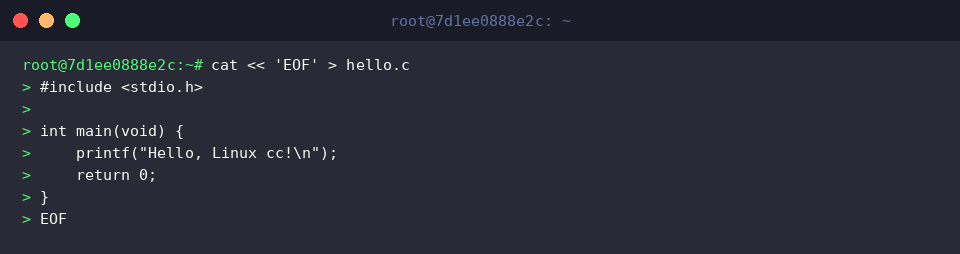
Assemble the newly generated hello.c file using the default toolchain settings by executing cc hello.c.
When no destination target is explicitly designated, the compiler defaults to generating a binary named a.out in the current working directory.

Validate execution and verify application output by launching ./a.out.
The program prints “Hello, Linux cc!” directly to standard output as defined in the source routine.

Custom Binary Naming (-o) and Production Compiler Flags (-Wall, -O2)
Generate a sample arithmetic source file (calc.c) using the cat command to test production-grade compilation parameters.
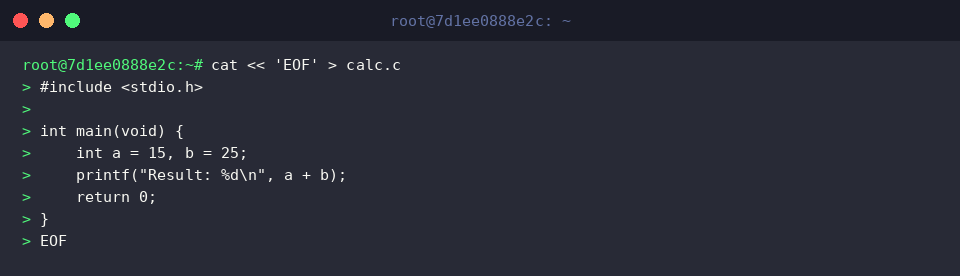
Enforce diagnostic scrutiny with -Wall, turn on performance optimizations using -O2, and direct the output into a custom executable named calc_app by running cc -Wall -O2 -o calc_app calc.c.
A clean compilation pass without warnings indicates optimal source structure and generates the targeted binary immediately.

Confirm that the output artifact (calc_app) exists and carries the proper execution flags by running ls -l calc_app.
The file listing confirms appropriate byte footprint and validates that execution bits (x) are properly set.

Ensure that the optimized binary operates reliably by invoking ./calc_app.
The execution prints “Result: 40”, verifying that the runtime arithmetic routines executed without issue.

Multi-File Modular Compilation (-c) and Binary Linking
Begin the multi-module build setup by authoring a dedicated interface header (message.h) using cat.
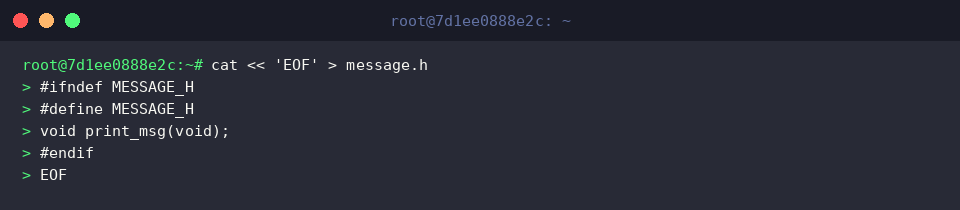
Implement the declared routine inside a separate module source file (message.c) using cat.
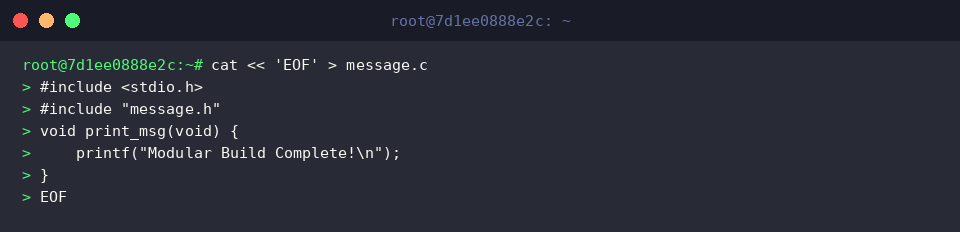
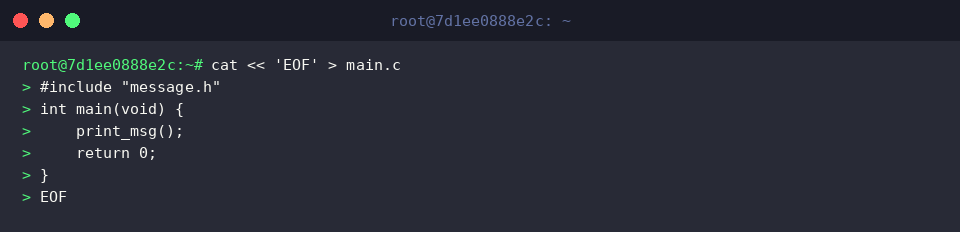
Create the primary driver program (main.c) that imports the shared header definition to execute the modular logic via cat.
Translate both source units (message.c and main.c) into standalone machine-level object files without linking by running cc -c message.c main.c.
Passing -c isolates translation per source file, yielding individual .o binary artifacts.

Inspect the workspace artifacts to ensure intermediate objects were produced cleanly by executing ls -l *.o.
The directory listing proves that message.o and main.o are present and ready for final assembly.

Bind the independent object files (message.o and main.o) into a unified final binary named modular_app by executing cc -o modular_app message.o main.o.
The linker resolves external symbol references across modules to emit a cohesive runtime executable.

Test the linked modular binary to verify runtime behavior by running ./modular_app.
The binary triggers the delegated function and displays “Modular Build Complete!” across the terminal.

Mastering the fundamentals of the cc utility and its core compiler flags provides a resilient foundation for Linux systems development. Incorporating rigorous warning checks and modular compilation early on will help keep your C projects organized, robust, and performant.