


Overview
When physical memory runs dangerously low, the Linux kernel invokes its Out of Memory (OOM) Killer to sacrifice selected processes and prevent a total system crash. This guide explores choom, a focused utility from the util-linux suite designed to query and fine-tune process termination priorities. Through practical terminal exercises, you will master inspecting live OOM scores, deprioritizing disposable workloads, and shielding mission-critical system daemons from sudden eviction.
1. Understanding choom and Verifying Package Prerequisites
Before tuning process survival scores, ensure that the requisite utilities from util-linux and procps are present on your host.
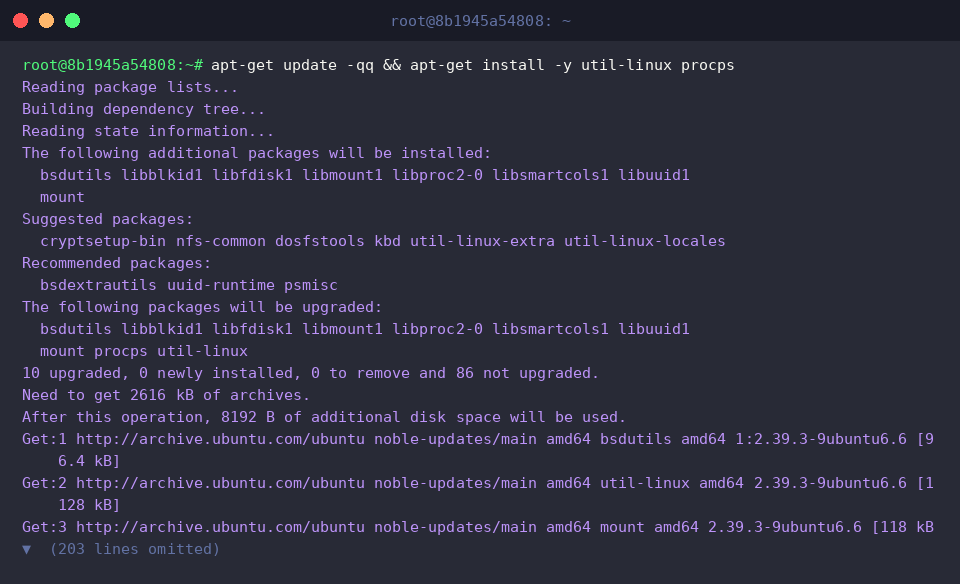
Under the hood, choom acts as a direct command-line interface to read and adjust the kernel’s internal oom_score_adj metric.
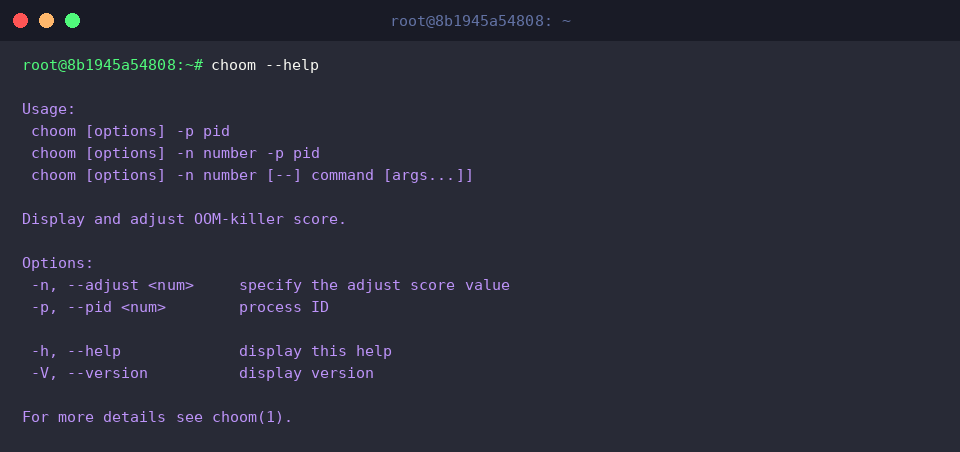
Executing the --help flag outlines the primary syntax rules and flag definitions.
⚙️ [Core Options]
-p, --pid : Designates the target Process ID (PID) to examine or alter.-n, --adjust : Sets the OOM Killer score adjustment score (-1000 to 1000).-h, --help : Prints command usage information.-V, --version : Outputs current release version details.
2. Querying the OOM Score of an Active Process
To stage our score retrieval and modification tests, spin up a lightweight background process configured to sleep for ten minutes using sleep 600 &.

Store the PID of this background worker into the TARGET_PID environment variable, then query its active oom_score_adj state via choom -p.
Standard processes launched without explicit priority adjustments default to a score of 0.

To verify that the utility accurately mirrors kernel state, read the virtual file directly from the /proc filesystem.
The value printed from /proc/$TARGET_PID/oom_score_adj matches 0, confirming that the kernel’s configured parameters align with the command output.

3. Modifying OOM Adjustment Scores for Running Workloads
To increase the termination vulnerability of our running test job, supply an adjustment value of 500 through the -n parameter and execute choom with sudo privileges.
Assigning a positive oom_score_adj elevates the process in the kernel’s sacrifice queue whenever an out-of-memory crisis strikes.

Check the target process again using choom -p to verify that the elevated score has taken effect.
The readout reflects a shift from default 0 to 500, confirming that the kernel immediately updated its eviction weight.

4. Launching Protected Processes and Cleaning Up
For vital production daemons that must survive resource starvation, administrators can launch jobs with predetermined immunity by passing -1000 directly at execution time.
Dialing the score adjustment to the minimum threshold of -1000 grants full immunity, forbidding the kernel from terminating the process during extreme memory pressure.

Capture the PID of this newly spawned protected task into TARGET_PID and run choom -p to inspect its operational score.
The reported output displays -1000, confirming that the task inherited robust termination protection from the moment it launched.

Now that the demonstrations are complete, tear down the lingering background workload using pkill -f 'sleep 600' || true.
Safely pruning these residual test processes keeps the host environment clean and prevents wasteful background resource consumption.

We have explored how choom simplifies monitoring OOM priorities and shielding vital workloads against sudden kernel termination.
Applying these adjustments deliberately across production environments ensures resilient service availability even under severe memory constraints.