


Overview
The chroot utility is a foundational Linux tool that alters the perceived root directory for an active process and any of its children. This guide breaks down the operational mechanics of changing root environments in Ubuntu. Through hands-on scenarios, you will learn how to assemble a standalone BusyBox sandbox, stage a functional Bash shell jail with shared library bindings, mount virtual filesystems for emergency system repairs, and properly enforce directory permissions for restricted SFTP services.
Core Principles of chroot and Building a Minimal BusyBox Jail
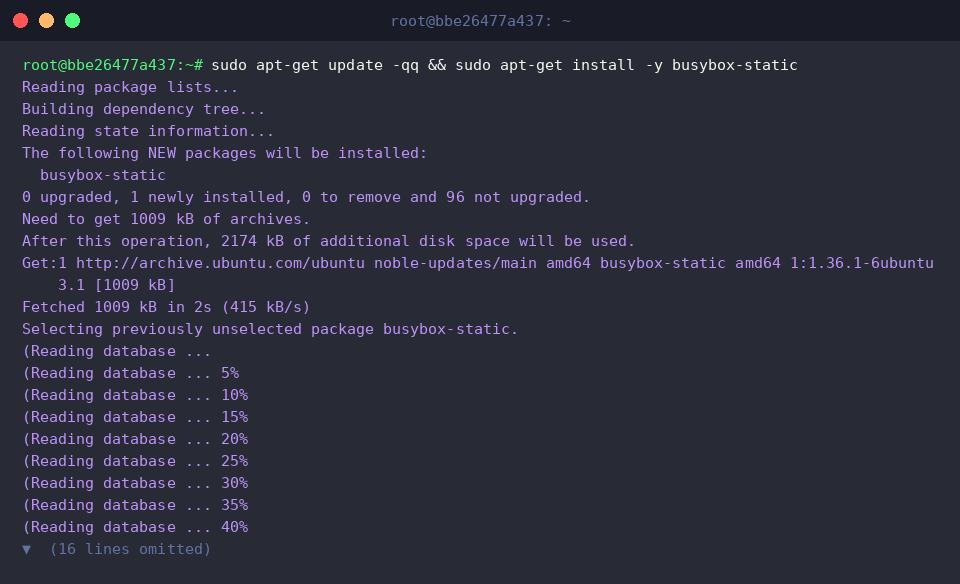
To construct a lightweight execution environment that operates independently without relying on dynamic host libraries, fetch the statically compiled BusyBox suite by executing sudo apt-get update -qq && sudo apt-get install -y busybox-static.
Next, establish a dedicated directory tree to serve as the isolated filesystem root along with a binary storage directory using sudo mkdir -p /opt/mini-jail/bin.

Populate the sandbox with standard command capabilities by copying the static multi-call binary into place via sudo cp /bin/busybox /opt/mini-jail/bin/.

At its core, chroot changes the process’s reference point for /, effectively locking it inside the specified directory subtree and cutting off direct access to the broader host layout.
Spawning a shell within /opt/mini-jail causes the system to treat that directory as the top-level root, demonstrating complete isolation while listing only the files present inside the jail.
⚙️ [Essential CLI Flags]
--userspec=USER:GROUP : Dictates the non-root credentials under which the child process will run.--groups=G_LIST : Supplies an explicit, comma-delimited set of supplementary group IDs inside the jail.--skip-chdir : Keeps the current working directory intact instead of automatically transitioning into the new root.

Constructing an Isolated Bash Environment with Shared Libraries
Unlike static utilities, dynamic binaries such as Bash require a proper hierarchy for shared object resolution. Initialize the necessary root layout with sudo mkdir -p /opt/bash-jail/{bin,lib,lib64}.

Transfer the primary command binaries into the target container using sudo cp /bin/bash /bin/ls /opt/bash-jail/bin/ so that navigation and shell scripting are available.

Because dynamic binaries depend on host runtime components, migrate the architecture-specific shared libraries into the jail via sudo cp -a /lib/x86_64-linux-gnu /opt/bash-jail/lib/.

Ensure that the 64-bit dynamic linker and core runtime link targets are accessible by deploying them with sudo cp -a /lib64/* /opt/bash-jail/lib64/.

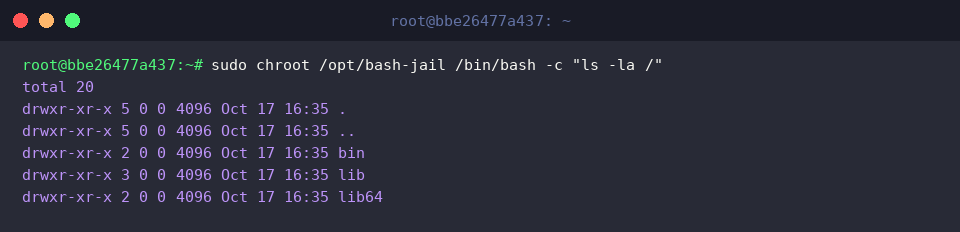
Validate the custom environment by starting an interactive subshell with sudo chroot /opt/bash-jail /bin/bash -c "ls -la /".
The resulting view displays strictly the copied bin, lib, and lib64 paths as the virtual root (/), confirming that dynamic link dependencies are resolved correctly while keeping the host structure shielded.
Rescuing Broken Systems: Virtual Filesystem Bind Mounts and chroot
When repairing an unbootable installation from a live rescue disk, you must mount the target system’s storage first. Set up an intermediate access target using sudo mkdir -p /mnt/sysroot.

Attach the root partition containing the operating system to be restored by executing sudo mount --bind / /mnt/sysroot.

Hardware nodes and block devices must be reachable inside the jail for bootloader reinstallation or disk checks. Bridge the device tree with sudo mount --bind /dev /mnt/sysroot/dev.

System utilities require access to kernel metrics and active thread states; expose the process information tree by invoking sudo mount --bind /proc /mnt/sysroot/proc.

Expose hardware state models, driver buses, and kernel parameters to the recovery subshell by running sudo mount --bind /sys /mnt/sysroot/sys.

Switch into the mounted operating system using sudo chroot /mnt/sysroot /bin/bash -c "uname -a && df -h /".
The output demonstrates that the shell inherits the host kernel while pivoting root operations to the mounted filesystem, unlocking the ability to rebuild GRUB, regenerate initramfs images, or run package repair tools safely.

After administrative actions are concluded, detach the virtual subsystems in reverse hierarchical sequence to preserve filesystem integrity.

Hardening SFTP Environments with chroot Directory Permissions
For dedicated file transfer nodes, interactive shell sessions should be denied. Provision a restricted service account using sudo id -u jailuser &>/dev/null || sudo useradd -m -d /home/jailuser -s /bin/false jailuser.

Set up a dedicated working folder where client transfers will take place by running sudo mkdir -p /home/jailuser/uploads.

OpenSSH enforces strict security requirements to prevent jail escapes: every component of the chroot base directory must be owned by root and cannot be group- or world-writable. Apply these attributes with sudo chown root:root /home/jailuser && sudo chmod 755 /home/jailuser.

Allow the locked-down user to write, modify, and delete payload files by assigning ownership of the child folder via sudo chown jailuser:jailuser /home/jailuser/uploads.

Inspect the permission hierarchy using ls -ld /home/jailuser /home/jailuser/uploads.
The resulting output confirms that the top directory remains locked under root:root with drwxr-xr-x, while the interior /uploads path is properly granted to jailuser:jailuser, fulfilling OpenSSH chroot compliance standards.

Through filesystem isolation, custom shared library staging, and live virtual filesystem bindings, chroot remains an indispensable tool in any Linux engineer’s arsenal. Whether resolving kernel boot failures or restricting incoming external transfers, these patterns provide a resilient baseline for reliable system administration.