


Overview
When standard utilities like split fall short because you need to carve up logs or structured text documents by specific context rather than arbitrary byte counts or fixed line offsets, csplit (context split) is the tool designed for the job. This guide walks through the essential workflows for segmenting files using line numbers and dynamic regular expressions.
Slicing Text Files by Explicit Line Numbers
Start by creating an isolated workspace for hands-on experimentation: run mkdir -p ~/csplit_lab && cd ~/csplit_lab to construct and enter the directory.

Populate a 15-line test payload by executing seq -f "Line %g: System status normal" 1 15 > server_status.txt.

Inspect the initial lines of the dataset to verify its structure using head -n 5 server_status.txt.
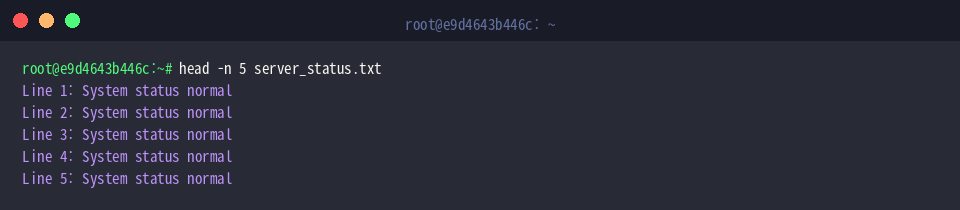
Unlike standard line slicing tools, csplit divides an input stream around explicit indices or pattern boundaries. Running csplit server_status.txt 6 11 establishes split thresholds right before line 6 and line 11, dissecting the document into three distinct segments: lines 1–5, 6–10, and 11–15.
Each integer returned to standard output reflects the byte footprint of an individual output file.
⚙️ [Key Parameters]
-f PREFIX : Overrides the default xx output filename prefix.-b FORMAT : Configures the filename suffix layout via printf-style syntax.-n DIGITS : Sets the numerical digit count for generated file suffixes (default is 2).-s : Suppresses byte-count outputs for clean scripting.-z : Automatically discards zero-length (empty) output chunks.-k : Preserves previously created chunks if a processing failure halts execution.

Review the resulting artifacts with ls -l xx*.
The utility yields xx00, xx01, and xx02, matching the assigned ranges with exact byte allocations.

Splitting Document Sections Automatically with Regex
To evaluate pattern-based chunking on recurring blocks, construct a multi-part status file using cat << 'EOF' > reports.txt.
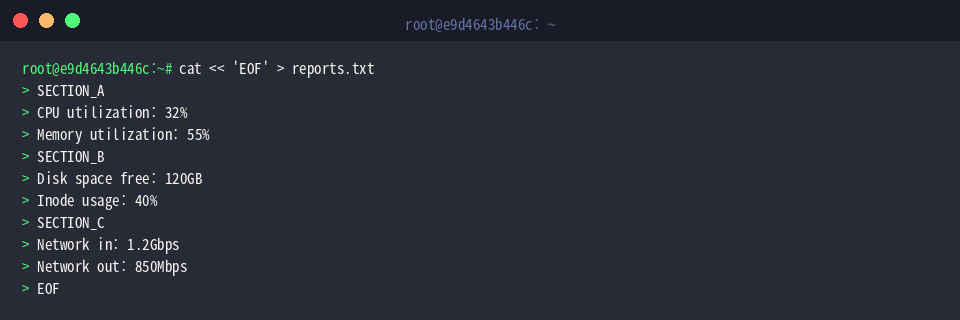
Confirm the overall layout and segment delimiters across the document with cat reports.txt.
The source data cleanly reflects three distinct blocks: SECTION_A, SECTION_B, and SECTION_C.
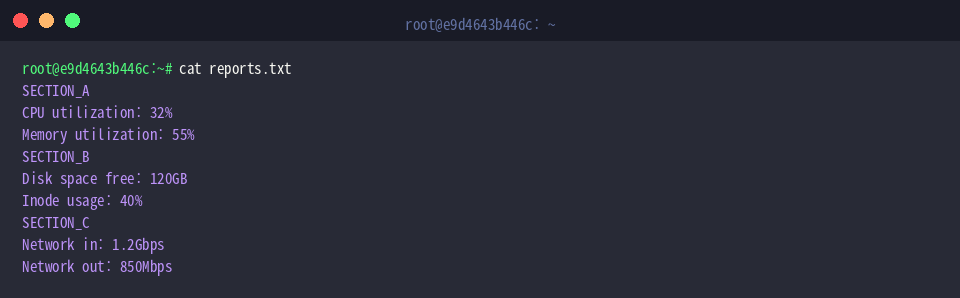
Executing csplit reports.txt '/SECTION_/' '{*}' instructs the utility to isolate each occurrence of /SECTION_/ across the entire document using the { * } wildcard repeater.
Standard output prints the byte count of every resulting piece, beginning with a 0-byte header segment created before the initial pattern match.

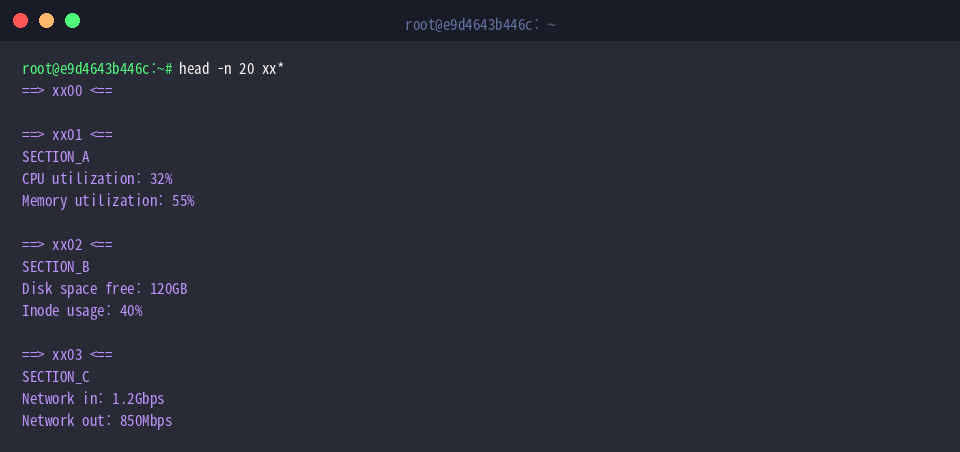
Confirm how content was distributed across chunks by running head -n 20 xx*.
Following the empty leading artifact xx00, individual metric blocks are neatly partitioned across xx01, xx02, and xx03.
Customizing Output Prefixes and Numerical Suffix Formats
For structured data management, customizing filename prefixes and numbering schemas is often required. Generate a sample application log stream via cat << 'EOF' > app.log.
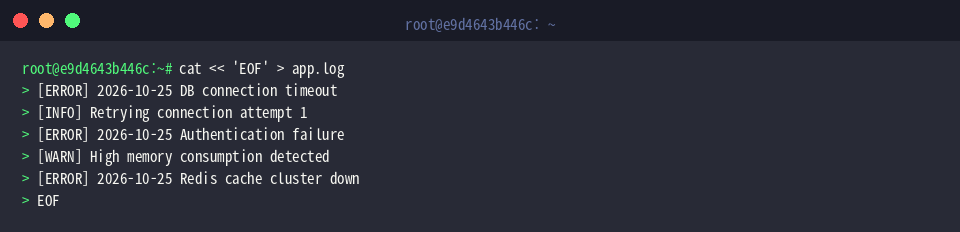
Run csplit -f log_part_ -n 3 app.log '/\[ERROR\]/' '{*}' to divide the stream at each [ERROR] delimiter while applying a custom prefix (log_part_) and expanding the index padding to three digits (-n 3).
The numbers displayed indicate the byte size of each separated log chunk.

Audit the generated files with ls -l log_part_*.
The directory now cleanly reflects the defined naming convention, staging pieces from log_part_000 through log_part_003.

Production Techniques: Preventing Empty Files (-z) and Preserving Partial Splits (-k)
When processing begins on a matching line, csplit by default outputs a zero-byte preamble. Combine -z to strip zero-length chunks with -k to retain intact files upon syntax interrupts: run csplit -z -k -f clean_part_ reports.txt '/SECTION_/' '{*}'.
Because empty fragments are immediately suppressed, the output reports only the sizes of the three usable segments (55, 50, and 51 bytes).

Inspect the directory with ls -l clean_part_*.
Thanks to -z, no orphaned empty header file appears; the sequence begins cleanly at clean_part_00 and finishes at clean_part_02.

Verify the first resulting partition using cat clean_part_00.
Data extraction starts straight from the initial header of SECTION_A without missing any metrics or prepending unwanted spacing.

Once finished, remove the practice environment by executing rm -rf ~/csplit_lab.

Mastering csplit allows Linux administrators and engineers to bypass manual scripting when segmenting monolithic log dumps, database exports, and delimited text streams. Incorporate these pattern-matching switches to automate data extraction tasks with precision.