


Overview
Modern Linux environments rely heavily on the Desktop Bus (D-Bus) as the backbone for inter-process communication across system services and desktop sessions. At the heart of this message-routing infrastructure sits dbus-daemon. This guide dives into how this central broker functions under the hood on Ubuntu, walking through hands-on steps to verify runtime statuses, configure dedicated session buses, and query internal endpoints directly from the command line.
1. Installing D-Bus Utilities and Verifying the System Daemon
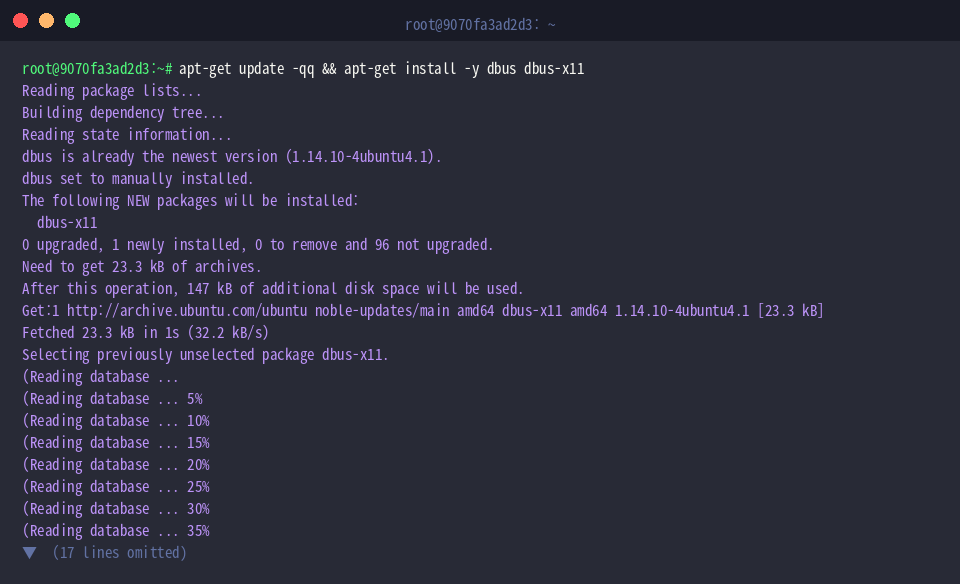
Before probing the bus infrastructure, ensure the required utilities and core packages are present on your machine by running apt-get update -qq && apt-get install -y dbus dbus-x11.
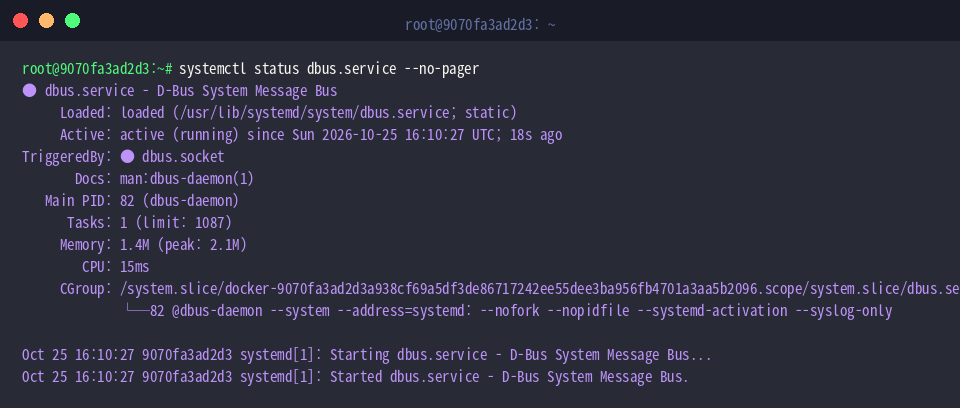
To evaluate whether the core message bus is active, run systemctl status dbus.service --no-pager.
The resulting terminal report confirms that the dbus unit is currently active (running), operating continuously under systemd socket activation and process supervision.
You can inspect the operational parameters of any running daemon instance with ps aux | grep '[d]bus-daemon'.
⚙️ [Key Runtime Flags]
--system : Initializes the process in system-wide bus mode using the standard system bus configuration profile.--session : Launches an instance tailored for the current user login session, applying user-level bus directives.--config-file=FILE : Overrides default configurations by loading an explicitly supplied XML policy profile.--nofork : Keeps the daemon attached to the foreground instead of detaching into a background worker.--address=ADDRESS : Explicitly specifies the listening IPC transport socket path or network address.--syslog-only : Routes diagnostic and operational output exclusively to the system logger, bypassing standard error.

2. Inspecting the Daemon Version and System Bus Configuration
Execute dbus-daemon --version to print the build release details and licensing metadata for the installed message broker.
The terminal output indicates that the environment is powered by D-Bus release 1.14.10.

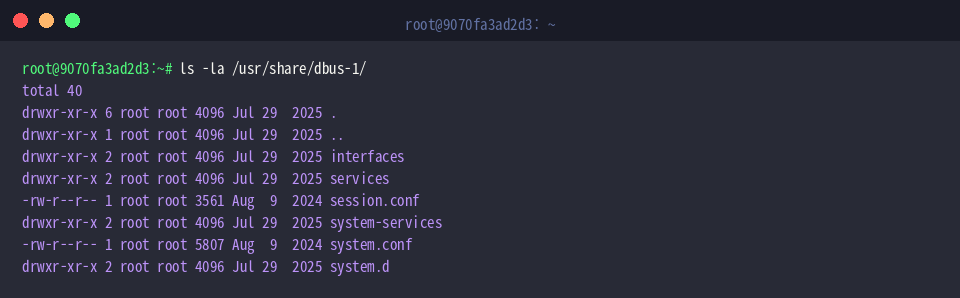
To review how Ubuntu organizes the D-Bus hierarchy and directory schemas, run ls -la /usr/share/dbus-1/.
This listing reveals the core architectural profiles—namely system.conf for host-wide services and session.conf for graphical login sessions—alongside administrative policy drop-in folders such as system.d.
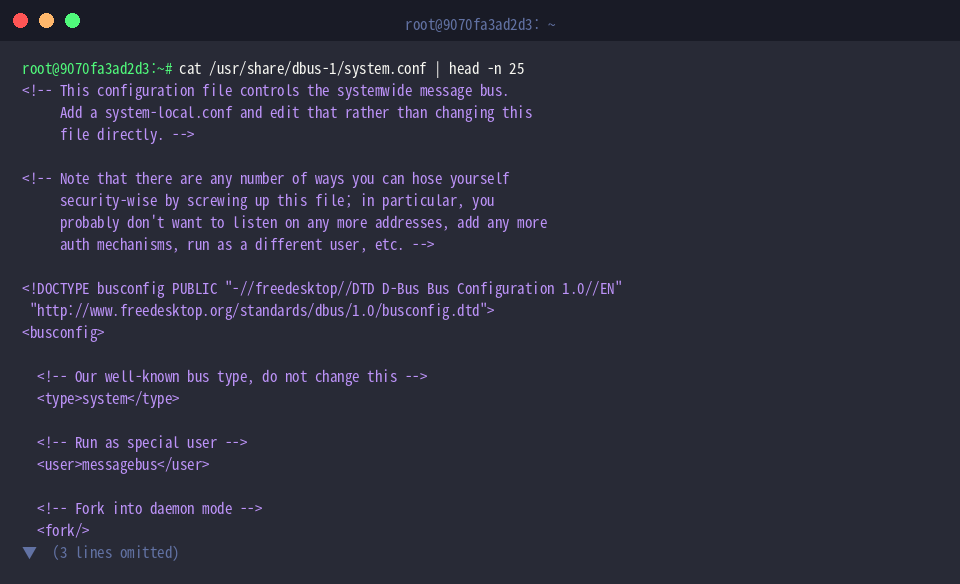
A quick look at the top portion of the system bus profile via cat /usr/share/dbus-1/system.conf | head -n 25 shows how the XML document is structured.
The excerpt demonstrates the standard DTD declaration and validates that this file formally designates the bus context as system.
3. Spawning a Dedicated Session Bus and Resolving Socket Addresses
When developing custom utilities or isolating test suites, you often need an independent bus instance. Start by preparing a sandbox directory with mkdir -p /tmp/dbus_test.

Next, launch a detached session daemon and capture its generated socket coordinates: dbus-daemon --session --fork --print-address > /tmp/dbus_test/session_bus_addr.txt.
Here, --fork detaches the daemon into a background thread, while --print-address emits the dynamically bound Unix socket string, which is redirected into our test file for later reference.

Inspect the stored connection string using cat /tmp/dbus_test/session_bus_addr.txt.
The file reveals the socket parameters required by external clients, displaying the local filesystem endpoint under /tmp (unix:path) along with its unique global session identifier (guid).

4. Querying Registered System Bus Services via dbus-send
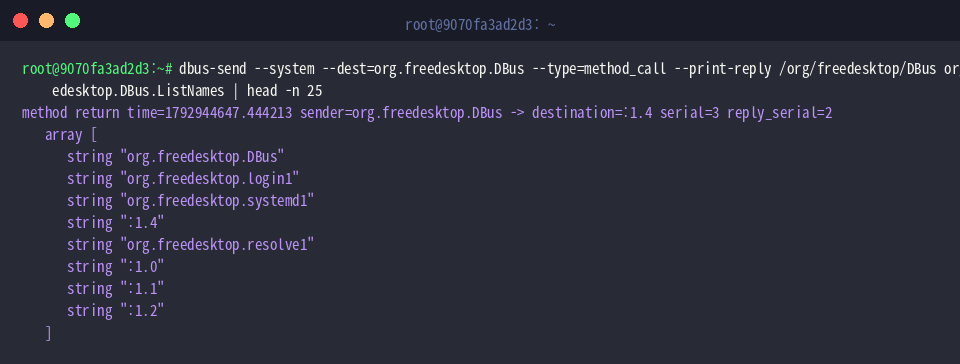
To discover the services actively attached to the system bus, invoke dbus-send --system --dest=org.freedesktop.DBus --type=method_call --print-reply /org/freedesktop/DBus org.freedesktop.DBus.ListNames | head -n 25.
This remote method call talks directly to the internal message broker interface, returning both well-known service handles (like systemd1 and login1) alongside ephemeral unique identifiers formatted as :1.0.
You can also retrieve the internal UUID assigned to the active broker instance with dbus-send --system --dest=org.freedesktop.DBus --type=method_call --print-reply /org/freedesktop/DBus org.freedesktop.DBus.GetId.
The server replies with a unique 32-character hexadecimal string, serving as the immutable identifier for the lifetime of that specific daemon runtime.

This walkthrough highlighted the mechanics governing Ubuntu’s dbus-daemon alongside practical diagnostics for managing message buses. Leveraging these fundamentals equips you to debug service communication flows, inspect daemon states, and optimize inter-process interactions across your Linux environment.