


Overview
Modern high-throughput computing environments, RoCE deployments, and storage fabrics demand deterministic throughput alongside zero frame loss. In Linux, Data Center Bridging (DCB) provides the hardware-assisted Quality of Service framework necessary for lossless Ethernet. This practical walkthrough explores the Linux kernel’s dcb utility, demonstrating how network engineers can query and manipulate key traffic shaping primitives—including Application Priority (APP), Priority-based Flow Control (PFC), and Enhanced Transmission Selection (ETS)—straight from the command line.
Verifying dcb Availability and Command Syntax
The dcb management utility ships as a standard component of the modern iproute2 networking suite. Ensure your local package repositories are up to date and that the package is present on your host:
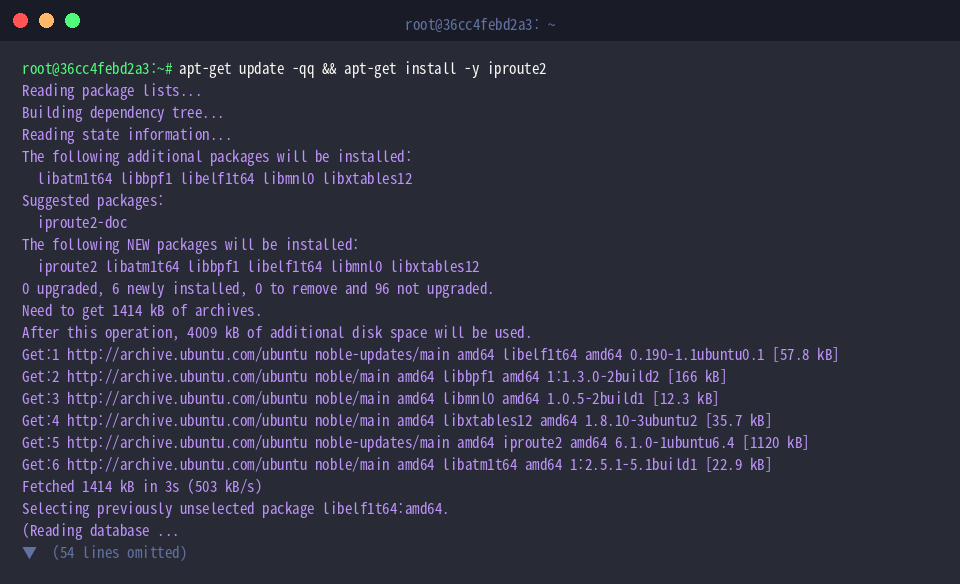
Verify where the system binary resides using which dcb to confirm that the command is in your current search $PATH:

Running dcb help reveals the root syntax structure, supported sub-objects, and global execution modifiers:
⚙️ [Key Global Options]
-j : Emits structured results using JSON formatting.-p : Enhances readability by indenting and pretty-printing JSON outputs alongside -j.-N : Dispatches the command within an isolated network namespace.-b : Ingests and processes configuration directives in batch mode from a designated file or standard input.-f : Instructs batch processing to proceed uninterrupted across transient errors.

Setting Up a Test Interface for DCB Operations
Before modifying production network interfaces or SmartNICs, instantiate a lightweight virtual dummy0 device to safely experiment with the CLI syntax:

Bring the virtual link up into an operational administrative state using ip link set:

Confirm that the virtual interface is live and inspect its link flags via ip link show dummy0. The presence of <UP,LOWER_UP> demonstrates that the kernel stack has fully initialized the interface:

Inspecting Application Priority (APP) Mappings
The application table (APP) correlates incoming and outgoing frames—classified by L4 destination port numbers or DSCP markers—to dedicated internal priority levels (0–7). Review the parameter list and command structure via dcb app help:

To query the current application priority table associated with an interface, run dcb app show dev dummy0 || true. Because software dummy adapters lack physical DCB acceleration and have no user-defined mappings loaded, the command returns cleanly without records:

Examining Priority-Based Flow Control (PFC) and Scheduling (ETS)
Priority-based Flow Control guarantees lossless transmission by signaling pause frames per priority level without throttling unassociated queues. Run dcb pfc help to view configuration syntax and latency tolerance tuning options:

Inspect whether pause frames are enabled on specific traffic classes across the device with dcb pfc show dev dummy0 || true. Virtual loopback or dummy links will return empty payloads due to the absence of hardware-driven flow control:

Enhanced Transmission Selection (ETS) provides differentiated bandwidth guarantees across traffic classes when links experience congestion. Display ETS parameters and priority group options with dcb ets help:

Evaluate bandwidth allocations and traffic class assignments for the target link using dcb ets show dev dummy0 || true:

Reviewing Ingress Buffer Limits and Teardown
Fine-tuning packet buffer reservations per traffic class prevents headroom starvation during pause latency windows. Review the buffer management parameters via dcb buffer help:

Once verification and command testing are complete, tear down the simulated interface to keep host networking pristine:

With these fundamental dcb commands, administrators can inspect traffic classification policies, audit lossless flow control states, and verify bandwidth reservation parameters across modern enterprise networks and high-performance DCB-capable NICs.