


Overview
Linux allocates kernel memory and device buffers for virtual terminals (VTs) whenever consoles are spawned. In headless environments or resource-constrained servers, orphaned and inactive consoles unnecessarily tie up kernel structures. This guide demonstrates how to audit active terminals, allocate test sessions, safely reclaim unused kernel memory using the deallocvt utility, and verify overall system stability.
Installing Console Utilities and Inspecting Active TTYs
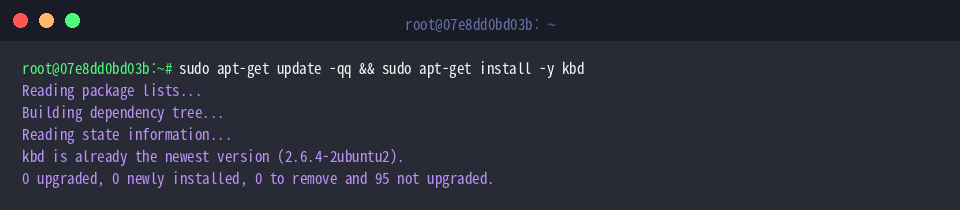
Console management tools such as deallocvt, openvt, and fgconsole are packaged inside the standard Linux console tools bundle. Ensure the toolset is present on your system by executing sudo apt-get update -qq && sudo apt-get install -y kbd.
To identify which virtual terminal is currently presented on the foreground display, invoke fgconsole.
The returned index 1 confirms that virtual terminal 1 (tty1) currently controls the active display buffer.

Before modifying console allocations, inspect logged-in sessions across all pseudo and virtual terminals by running who.
An empty output confirms that no interactive user sessions or active shells are currently attached to any virtual consoles.

Allocating a Test Virtual Console and Verifying Device Nodes
To explore console deallocation safely, instantiate an isolated terminal session on VT 8 by issuing sudo openvt -c 8 -- sh -c 'echo "Console 8 test" > /tmp/vt8.log'.
The -c 8 switch instructs the kernel to bind the shell invocation specifically to virtual console 8, logging a string to disk before completing.

Once a virtual console is initialized, verify that the kernel character device node exists by running ls -l /dev/tty8.
This listing checks the existence, major/minor device numbers, and permission attributes associated with the newly bound terminal.

Confirm that the payload assigned to console 8 executed as expected by reading the output file using cat /tmp/vt8.log.
The output string Console 8 test validates that the process ran inside the target virtual console and flushed its output before exiting.

Releasing Kernel Resources with deallocvt
Because the process bound to console 8 has completed, the terminal remains allocated in the kernel in an idle state. You can release this specific terminal and return its kernel memory pool by executing sudo deallocvt 8.
The kernel safely unbinds tty8, provided no foreground process or active handle keeps the device open.

Rather than freeing consoles individually, administrators can sweep all idle terminals in a single operation by executing sudo deallocvt without numeric arguments.
The utility scans through all configured virtual terminals and discards any unreferenced console buffers, skipping active foreground sessions automatically.

To verify that the target console has been discarded from the active device roster, evaluate the device node with ls -l /dev/tty8 2>/dev/null || echo "tty8 successfully deallocated".
Receiving the message tty8 successfully deallocated confirms that the kernel successfully reclaimed the descriptor.

Verifying Terminal State and System Memory Stability
Kernel sysfs interfaces provide immediate visibility into console state. Query the kernel’s tracking of the active console by running cat /sys/class/tty/tty0/active.
The response tty7 confirms that your graphical environment or operational primary console remains intact and unaffected by the cleanup routine.

Conclude the auditing process by reviewing overall RAM allocation with free -m.
Inspecting physical and swap memory metrics in megabytes ensures the operational footprint remains lean, healthy, and ready for production workloads.

By mastering openvt and deallocvt, system administrators can prevent console bloat, reclaim kernel structures, and maintain clean virtual terminal configurations across Linux distributions.